Your notes, put to work.
Pro turns what you know into what you do next. Ask an AI that reads your notes, in Capacities or in ChatGPT and Claude. Plan tasks and meetings on the pages they belong to. Highlight and search every PDF, image, and article you save.
Free trial available. No credit card required
You did the hard part. Pro makes it pay off.
Your people, projects, books, and ideas each have a page in Capacities. That is the part no tool can do for you.
Pro is what you do with it. Ask your notes a question and get an answer from them. Turn a meeting into tasks that show up on the project. Drop in a PDF and highlight it next to everything else you know.
No setup weekend and no plugins. Every Pro feature works with the objects you already have, and your AI chat app can use them too.
The same calm app. A lot more leverage.
"Going Pro was a great decision. This app just keeps getting better and better."
What Pro adds
Ask, read, plan, and keep
Four things your knowledge base can do once you go Pro. Pick one to jump there.
AI that starts from what you know
Not a blank chatbot. The AI chat reads the page you are on, searches the rest of your space, and can make changes with you.
Ask about what you wrote
Open the chat beside any page. Ask what was decided, what is still open, or what you know about a topic. Save a good answer as a new note in one click.
Fill in the details
Create a book and AI fills in the author, genre, year, and a summary. Create a movie and get the director, cast, and runtime.
Let it make the edits
Ask the chat to create objects, change properties, or update a table. Turn on Auto-approve for long sessions, or review each change.
Pick your model
Recent models from OpenAI, Anthropic, Google, and xAI are all in Pro. With a calendar connected, the chat can also look up and create events.
"I created a Movies object and I'm able to use AI to auto-populate details like budget and genres and even create links to IMDb. Absolutely insane product."
Unbounded AI work, with Pro+
Pro includes every AI workflow, with a monthly budget for light use and occasional media. Pro+ is the add-on for ongoing AI work: a much larger budget, and top-ups so you can keep going without a ceiling.
Optional on Pro or Believer. Same features. Top up anytime, including auto top-up.
Bring your notes into ChatGPT and Claude
Connect Capacities to the AI you already pay for. It answers from your notes and writes back to them: pages, tasks, and objects, linked to where they belong.
Works in the AI you already use
ChatGPT, Claude, Le Chat, Grok, Cursor, and any other app that supports MCP. Connecting takes about a minute and needs no code.
Reads and writes
Your assistant searches your space and reads whole notes. It can create pages, tasks, and objects of any type, change properties, and add to a note.
Runs on your AI plan, not your Pro budget
Chats in ChatGPT or Claude use the plan you already pay for there. They do not spend the AI budget that comes with Pro.
You stay in control
Each connection reaches only the space you pick. Remove it any time in Settings, and undo any change with version history.
Turn my kitchen notes into a project in Capacities, with the next steps as tasks.
- ReadKitchen ideas
- ReadCall with the plumber
- CreatedRenovate Kitchen
- Added 3 tasks toRenovate Kitchen
Done. "Renovate Kitchen" is in your space with three tasks: get plumbing quotes, find a worktop supplier, and declutter before the 14th. I linked the plumber call so the quotes stay in context.
Media
Every file is a thing you can think with.
A photo, a recording, a PDF, a saved article. Each one gets its own page, with properties, links, and your notes beside it. Pro reads them for you, so the words inside show up in search and in AI chat.
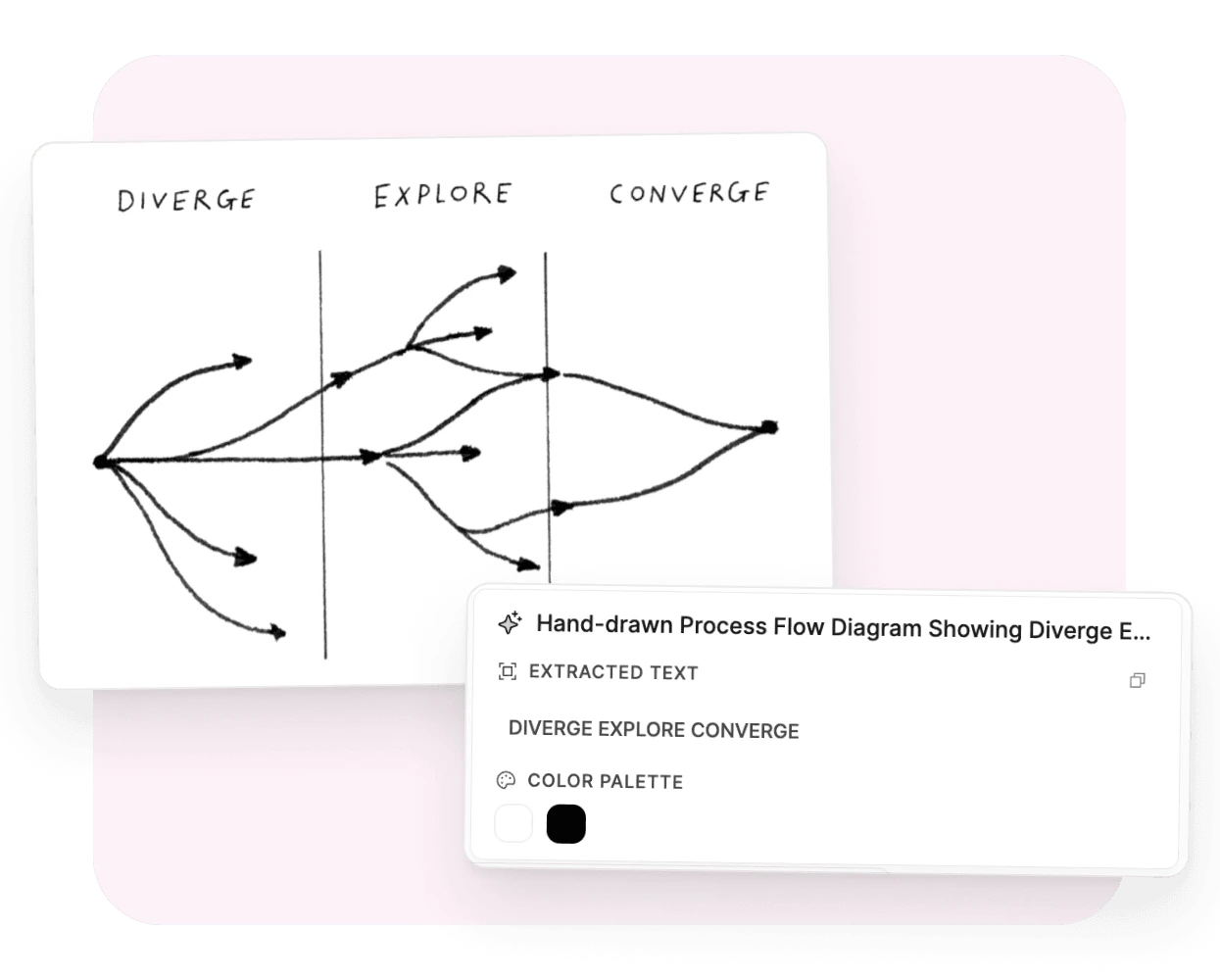
The text in your photos, now searchable.
Snap a whiteboard, a receipt, or a page of handwriting. Click Analyze and Capacities reads it.
- Text from any image, even handwriting. Copy it, search it.
- A title, a description, and a category like diagram or receipt, filled in for you.
- The color palette as swatches. Click one to copy its hex value.
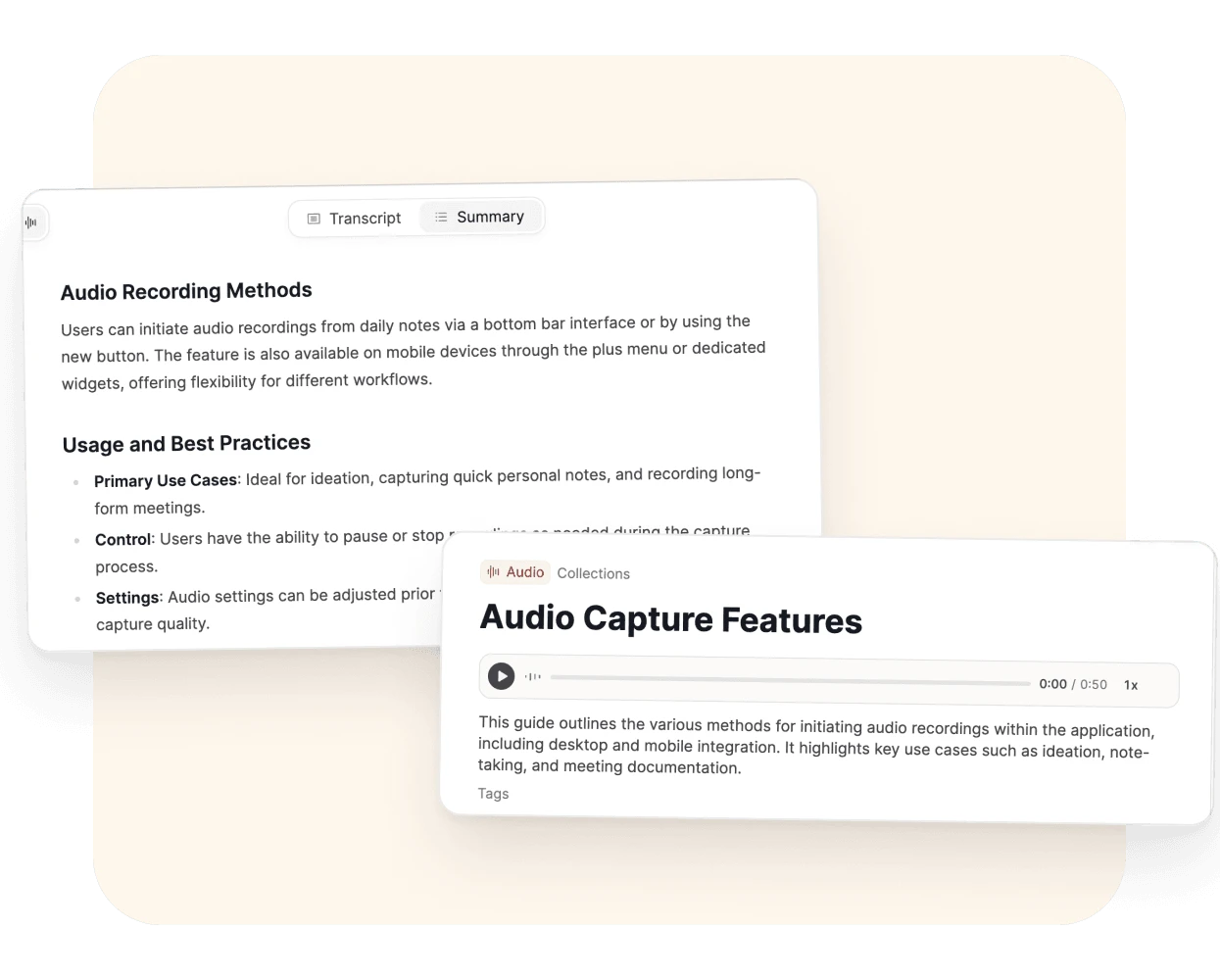
Hit record. Get the transcript and the summary.
Meetings, lectures, voice notes. Each recording lands in your space as its own object.
- Record from your desktop or your phone. On Mac, add system audio to capture both sides of a call.
- One click for a transcript and a summary. No prompt to write.
- The spoken words become searchable and ready for AI chat.
Available to Believers in early access. Part of Pro once early access ends.
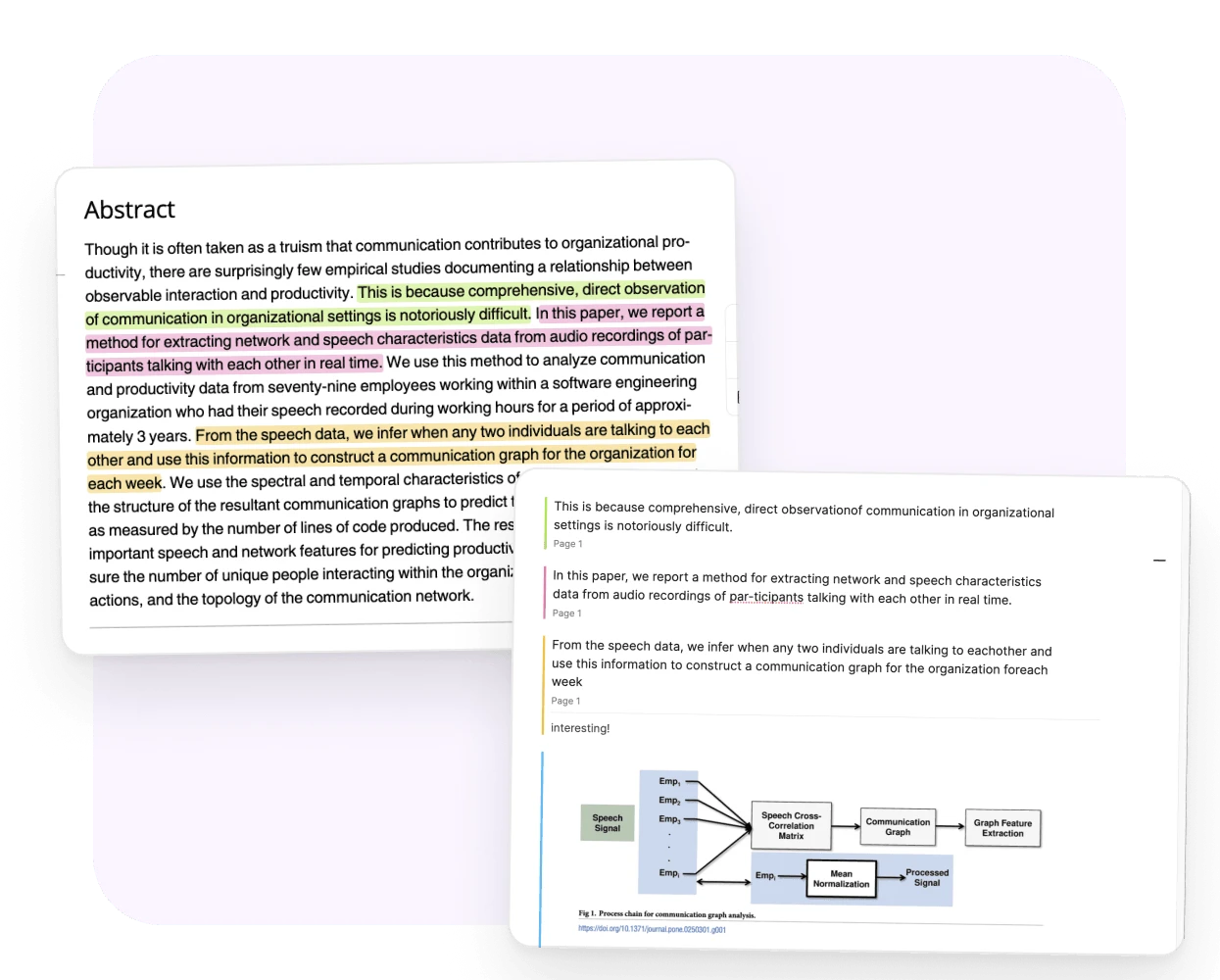
Mark up the PDF. Keep your notes beside it.
Highlight a passage, pick a color, add a thought. Every highlight links back to the exact spot in the document.
- Highlights and notes on every device. On desktop, snapshot a figure straight into your notes.
- Analyze for a page-by-page reader view, a summary, and keywords.
- Search finds it by the words inside or by what it’s about, and opens the right page. Ask AI chat about it.
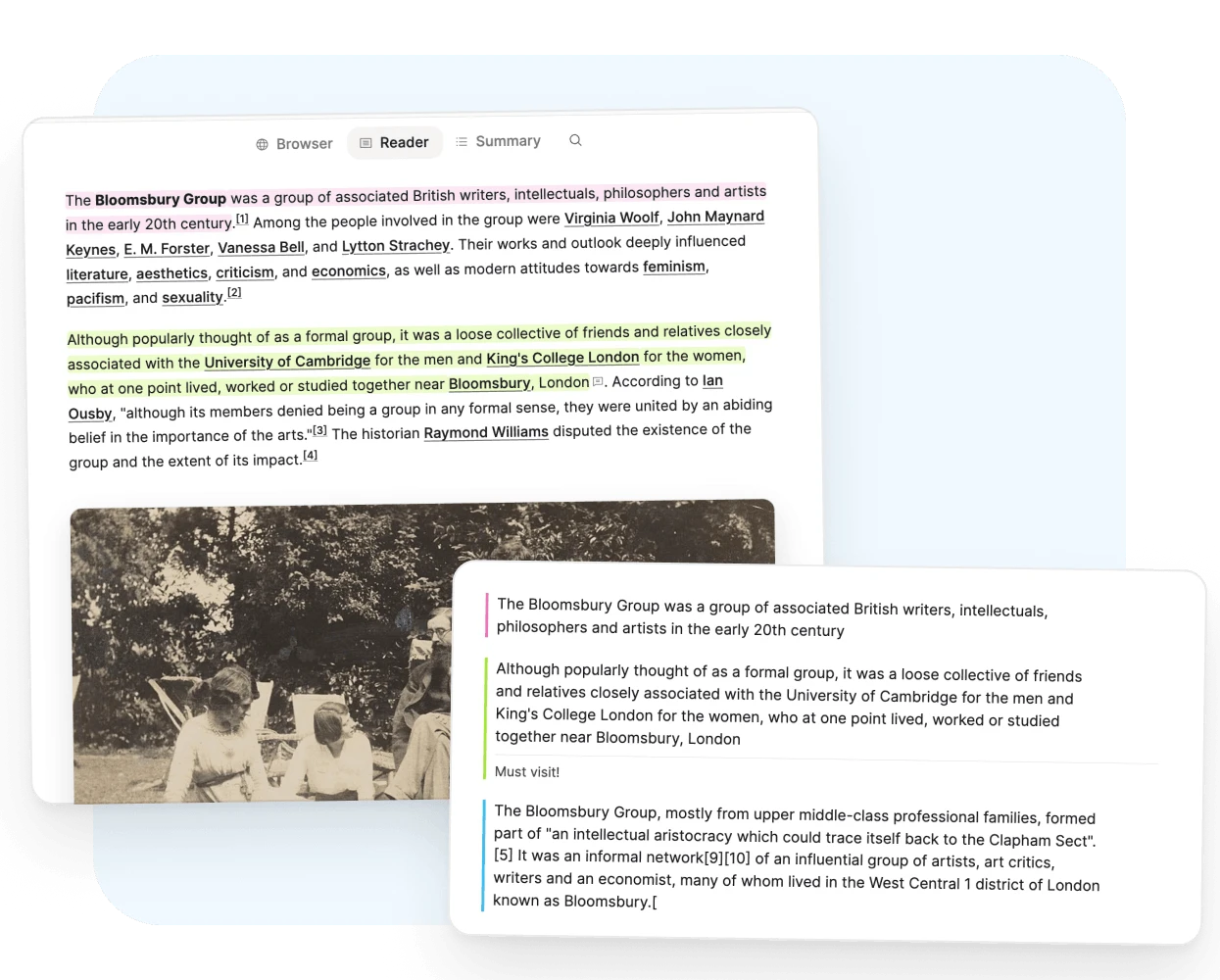
Save the article. Read it clean. Keep what mattered.
Paste a link and Capacities saves the page. Open it in reader view, without ads or pop-ups, and highlight as you go.
- Highlights become notes on the link, ready to quote and connect.
- Analyze for a summary, keywords, topic, and category.
- The article stays in your space. Search lands on the matching paragraph.
Reader and analysis run on desktop. Results sync to all your devices.
Analysis runs when you click Analyze. It needs AI turned on and uses your monthly AI budget. Highlights and notes don’t need AI. How media analysis works
Tasks that remember what they're for
Write a task in a meeting note and it shows up on the project, on Today, and in your calendar. There is no dashboard to build and no second app to check.
Capture in one line
Type a task inside a note, use the shortcut, or long-press on your phone. "Prepare weekly meeting !! tomorrow 2pm" sets the priority and the schedule.
Context by default
A task made on a page links to that page. Every project and person gets a Tasks tab with a board, a list, and what is scheduled.
Views you do not have to build
Inbox, Today, Scheduled, Open, and Completed are there from the start, with deadlines, recurring tasks, and your own statuses.
Keep your task app if you like
Send a to-do to Todoist, Things, TickTick, Reminders, Google Tasks, or Microsoft To Do in one step.
Explore task management"Started using this today and its one of the most intuitive implementations of tasks with notes around."
Your day, in context
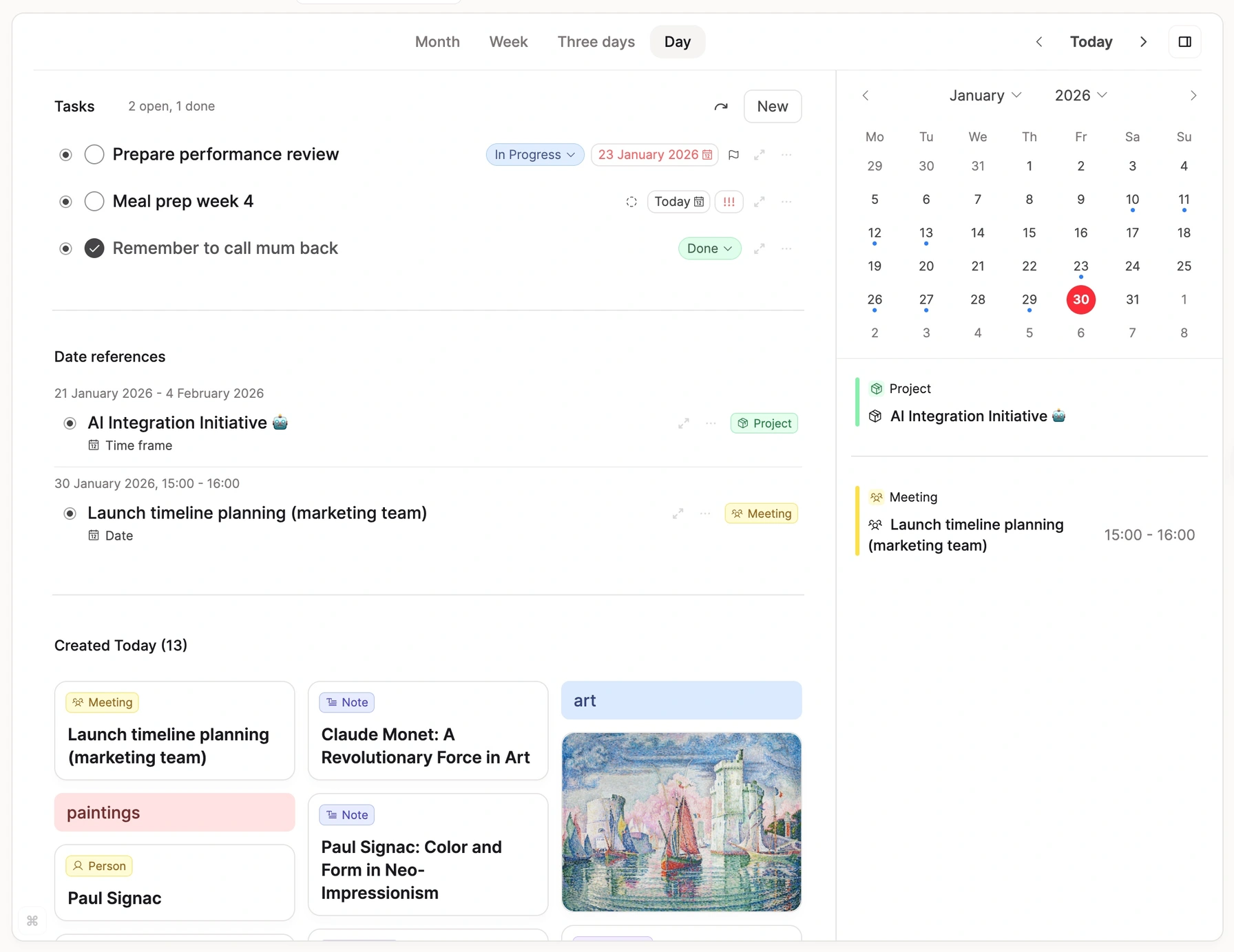
Meetings are not separate from notes. See your events next to your daily note, and keep the notes for each meeting linked to it.
Every calendar you use
Google, Microsoft, Apple Calendar, and CalDAV calendars such as Nextcloud and Fastmail.
Notes from events
Create a meeting note from any event. It stays linked, and when the event moves in your calendar, the note follows.
Events from notes
Give a note a date and add it to your calendar from there. Change the date in Capacities and the event changes too.
Plan the day in one place
Your events sit next to the daily note and the tasks for today. You only pick which events get a note.
"The calendar integration is a game changer. Brilliantly done—hugely capable, not invasive. Exactly the way I wanted it done."
Ask your space a standing question
A query is a saved question. Start with everything, add a filter or two, and keep the answer: books you loved, tasks for this month's projects, notes nothing links to. It stays current as you write.
Start with everything, then filter
A new query begins with all your notes. Filter by type, tag, property, date, links, or backlinks, and exclude what you do not want.
Filters that understand links
Find the notes that link to a project, the meetings that mention a person, or the orphans nothing links to.
One query, every page
Embed a query with "This object" on a person or project. Each page shows its own meetings, tasks, or notes.
Count and add up
Show a sum, an average, or the earliest date under a list, table, or board. A grouped view shows a result for each group.
"Queries is the fundamental piece I was waiting for since becoming a Believer. Extremely well implemented, easy to work with."
A new query starts with all your notes.
Find what you forgot you knew
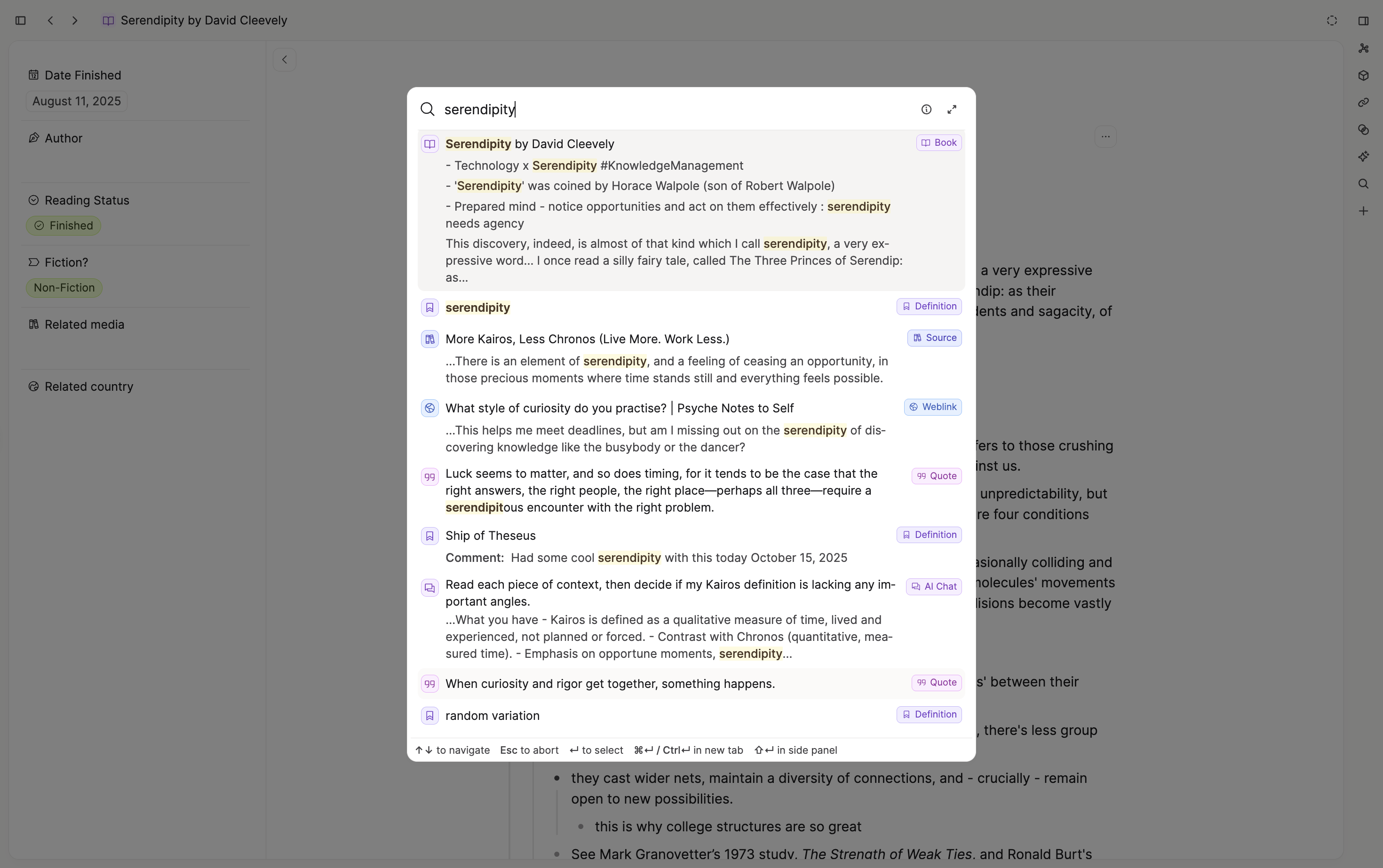
The more you write, the more you forget. Pro brings back the notes that matter, by topic and by meaning, not only by the words you remember.
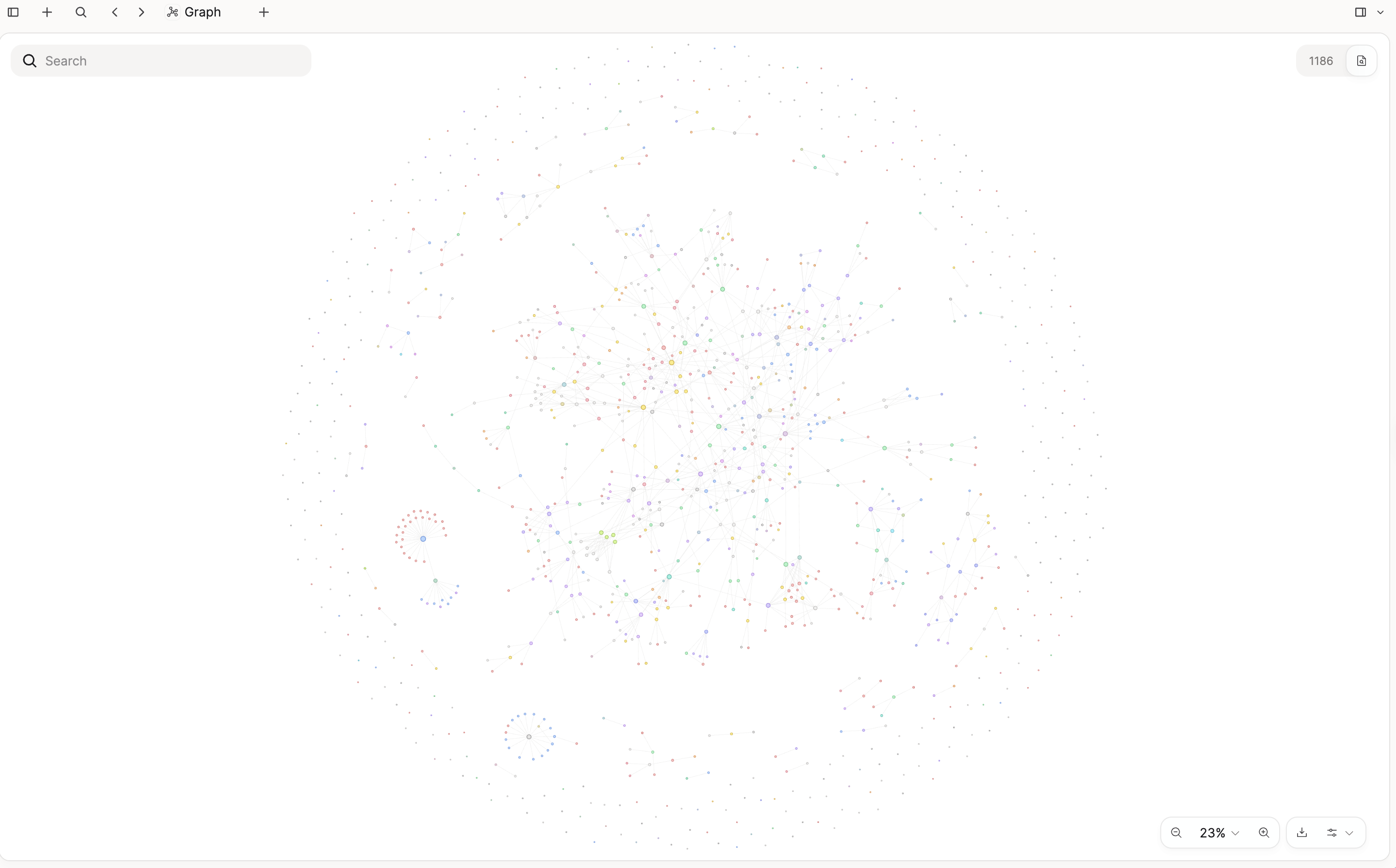
A graph that narrows to a topic
Open the graph of your whole space and type a topic. Only the objects that relate to it stay, with the links between them.
Search by meaning
Open search as a full page and filter by type or tag. In a query, semantic search finds notes about an idea even when they use other words.
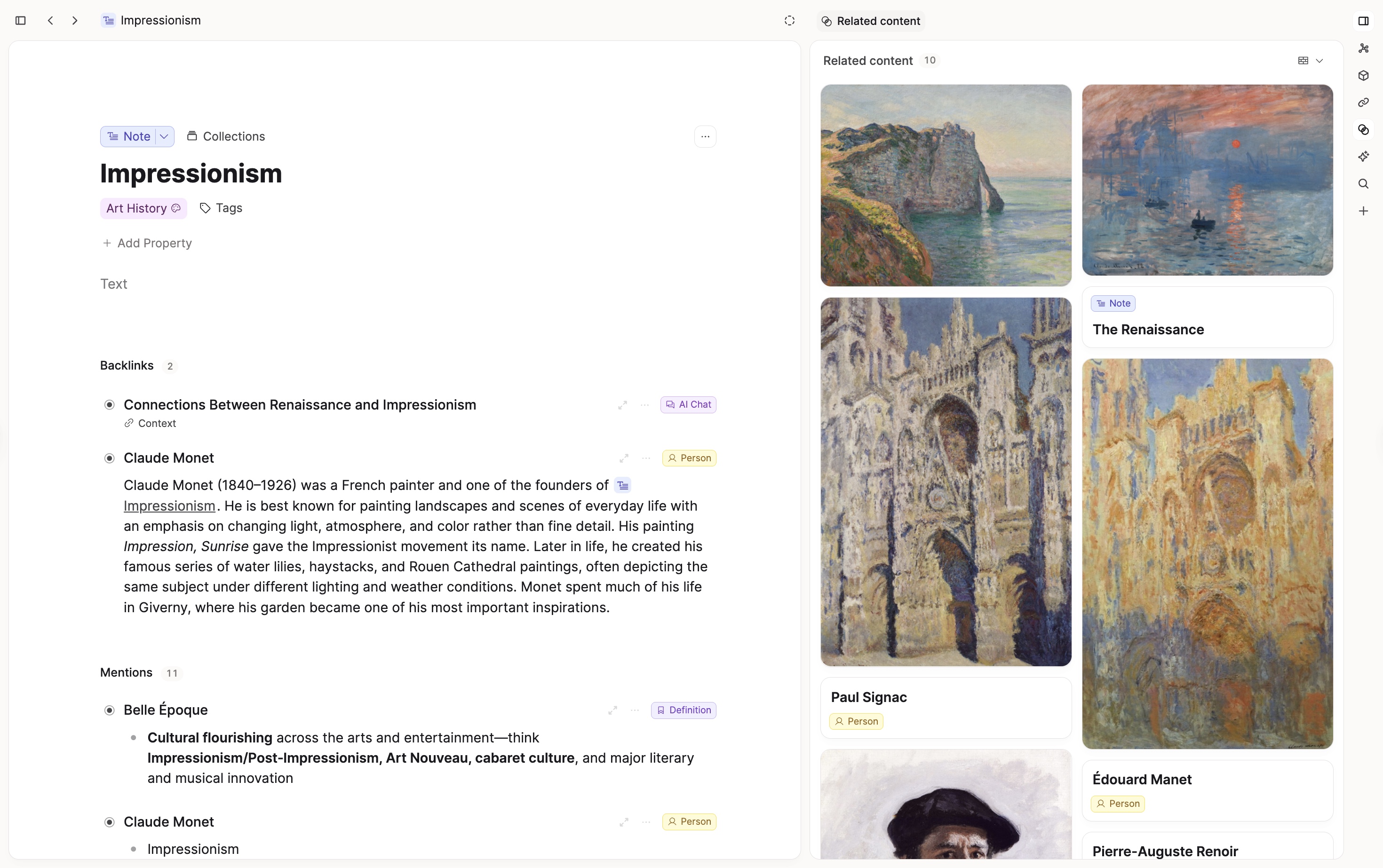
Related content
Below each note, the five closest notes in your space. No tags or links needed.
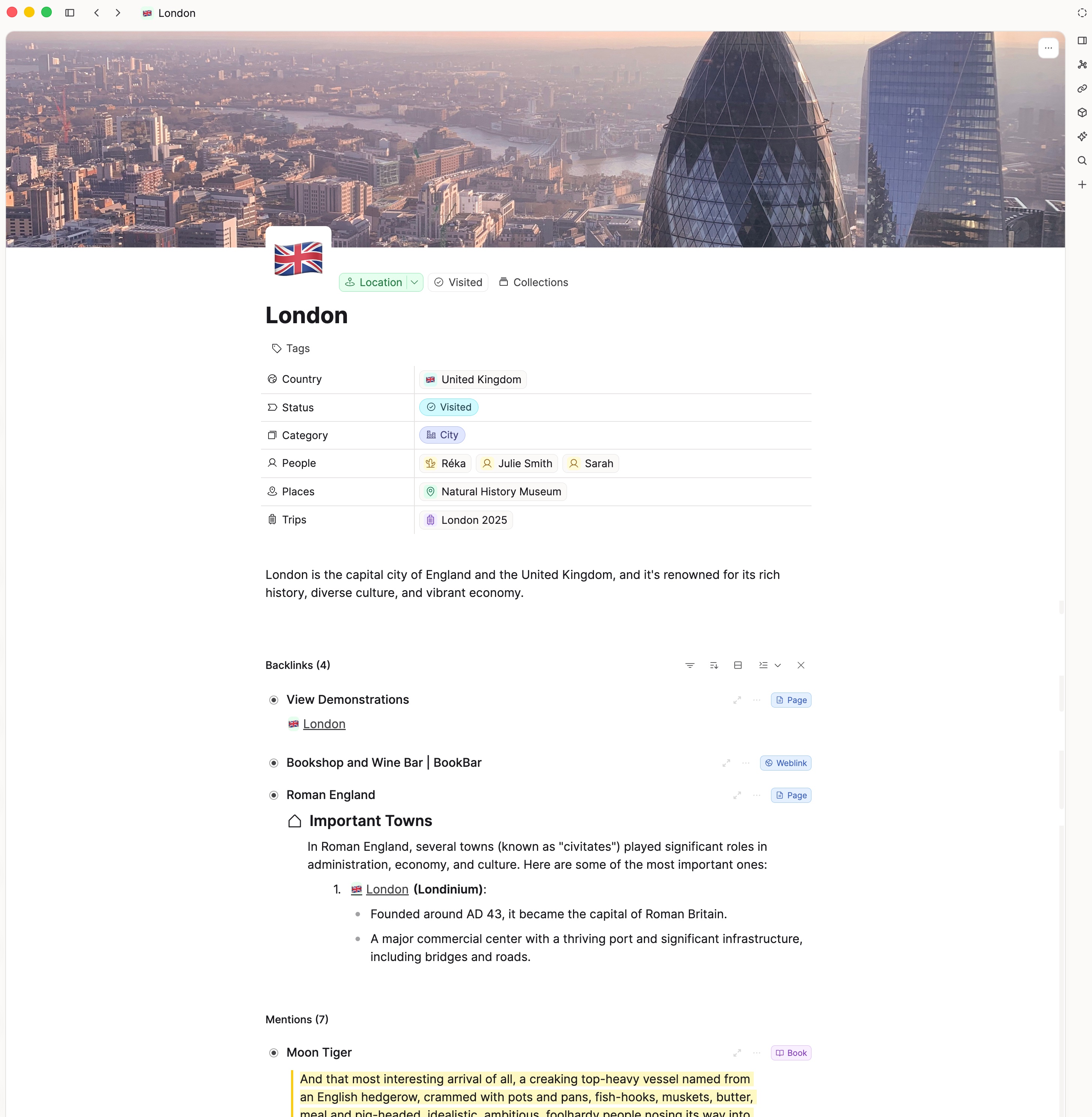
Unlinked mentions
See where a person, place, or idea is named in your notes before you have linked it.
Your highlights, ready to think with
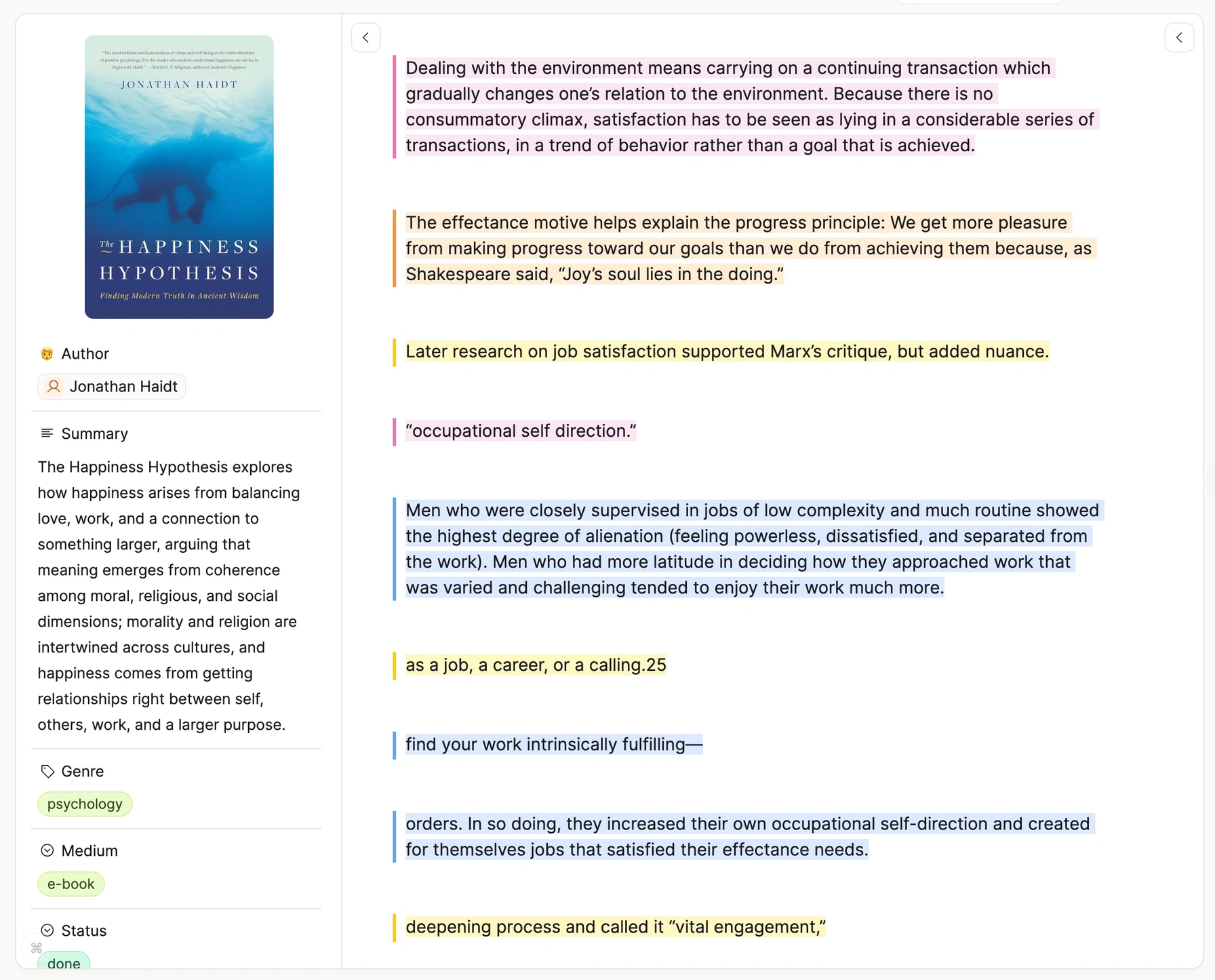
Bring your reading into your knowledge base. Readwise, Kindle, or both—highlights become connected notes you can build on.
Readwise & Reader sync
Selectively import documents from Readwise or Reader. Choose what to bring in—no information overload. Highlights stay synced as you add more.
Direct Kindle import
Email your Kindle highlights to Capacities. Chapter structure preserved. Highlight colors intact. No extra subscription needed.
Turn highlights into objects
A quote becomes a Quote object. A person mentioned becomes a Person. An idea becomes a Concept. Your highlights become building blocks.
Process, don't hoard
Refine, annotate, and connect your highlights to other notes. The goal isn't to capture everything—it's to create knowledge you can use.
"I love that the new Kindle integration keeps the colors of my highlights!"
Peace of mind
Safe, open, and yours
Your knowledge base gets more valuable every year. Pro adds the safety net to protect it and the open doors to take it anywhere.
Version history
Preview and restore an earlier version of a page, task, or file. Undo an AI edit as easily as your own.
Unlimited file uploads
No monthly or total storage cap. Each file can be up to 100 MB, and fair use applies.
Public API
Read and write objects, properties, blocks, and files from your own scripts and automations.
High-quality PDF export
Typeset a page as an Essay or Academic PDF, ready to share or hand in.
One plan, every Pro feature
Invest in your most valuable asset: your knowledge. No feature tiers to compare.
Capacities Pro
Everything you need to think better
- All free features included
- AI assistant with every model
- AI Chat Connectors for ChatGPT, Claude, and more
- Image, PDF, and weblink analysis
- Task management
- Calendar integration
- Smart queries
- Version history
- and more
Free trial available in the app
Want AI work without a ceiling? That's what Pro+ is for.
"This app is worth every penny. Very easy purchase."
— Discord
"Going Pro was a great decision. The features just keep getting better."
"I'm happy to support a team that listens to their customers and uses their feedback to improve the product."
Try Capacities Pro risk-free
No commitment. Start Pro when you're ready—cancel anytime and go back to your previous plan if it's not for you.
Your subscription builds the future
Every Pro subscription funds development. No VC money. No enterprise pivot. Just a small team building the best possible tool for individuals who think for a living.
"I can't believe such a small team can make such a fantastic app and add new features so fast. As a dev I have enormous respect for your whole team."
Every Pro feature
The full set, ordered by how much each one changes the way you work. A card with a guide opens it.
AI assistant
Chat beside any page, fill in properties, and let AI make edits, with models from every major lab.
Task management
Deadlines, recurring tasks, and views for Inbox, Today, and the project you have open.
Smart queries
Save a set of filters. The results stay current as your notes change.
Calendar integration
Google, Microsoft, Apple Calendar, and CalDAV, next to your daily notes.
Image analysis and OCR
Read text out of photos and screenshots, and fill in a title and description.
PDF reader and annotations
A reader view, highlights, snapshots, and text you can search.
Weblink reader and analysis
A reader view, highlights, and a summary of pages you save.
Readwise
Choose which Readwise and Reader documents to import, and keep new highlights in sync.
Kindle import
Email a Kindle export in and keep the chapter structure and highlight colors.
Version history
Preview and restore an earlier version of a page, task, or file.
Related content
The content you need shows up below your notes, right when you need it.
Smart search
Open search as a full page and filter by type, tag, or meaning.
Graph topic search
Type a topic in graph view and keep only the objects that relate to it.
AI Chat Connectors
Connect ChatGPT, Claude, or Cursor over MCP so they can search your space and write back into it.
Public API
Read and write objects, properties, and blocks from your own tools.
Unlimited file uploads
No monthly or total storage cap. Each file can be up to 100 MB, and fair use applies.
Task actions
Send a to-do to Todoist, Things, TickTick, Reminders, Google Tasks, or Microsoft To Do.
Unlinked mentions
See where a name shows up in your notes before you have linked it.
AI image generation
Describe an image and place the result in a note or as a cover.
Formulas in tables
Calculate values in a table, including sums, and show them as a progress bar.
Focus mode
Hide the rest of the window and write, with an optional timer.
Curated icon set
A wide set of icons, and icon colors, for types, pages, and properties.
Raycast
Search and open Capacities from anywhere on your Mac.
Web Highlights
Save a highlight from your browser straight into Capacities.
High-quality PDF export
Typeset a page as an Essay or Academic PDF.
Put your notes to work
Try every Pro feature for free. If it is not for you, your notes stay exactly as they are.