Catch it on your phone. Find it at your desk.
Your phone is always with you. Capacities is too — offline, with all your notes.
Free on iOS and Android. Syncs with Mac, Windows, Linux, and the web.
Tuesday Today
October 20, 2026Week 43
Tags
Morning pages: slept badly, big day ahead.
Ideas don’t keep office hours.
They show up on the train, halfway through a walk, in the queue for coffee. You tell yourself you will remember. By the time you sit down at your desk, it is gone.
Your phone is always with you. Capacities is too. Offline, with all your notes. An idea doesn’t have to sit in another app until you get back to a laptop.
Catch it on your phone. It lands in your space, next to the people, books, and projects it belongs with.
A day with it
Ten seconds here, a minute there
This is what using Capacities on your phone looks like. Small moments, and all of them end up in one place.
07:40
Morning pages
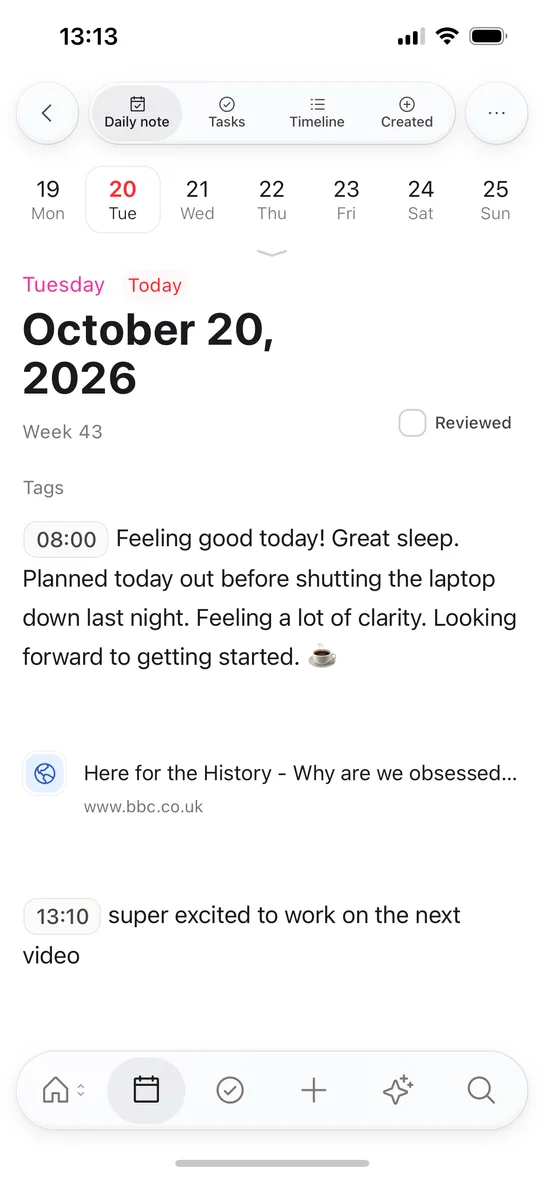
Tap the calendar. Today’s note is already open.
08:15
On the train
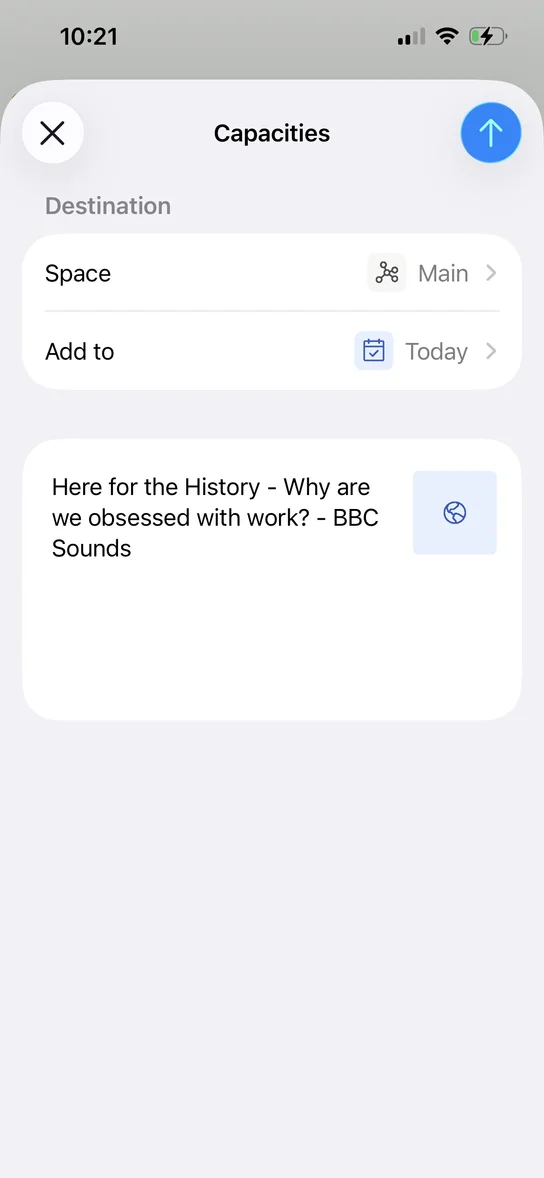
A podcast worth keeping goes in from the share sheet.
13:01
Lunchtime walk thoughts
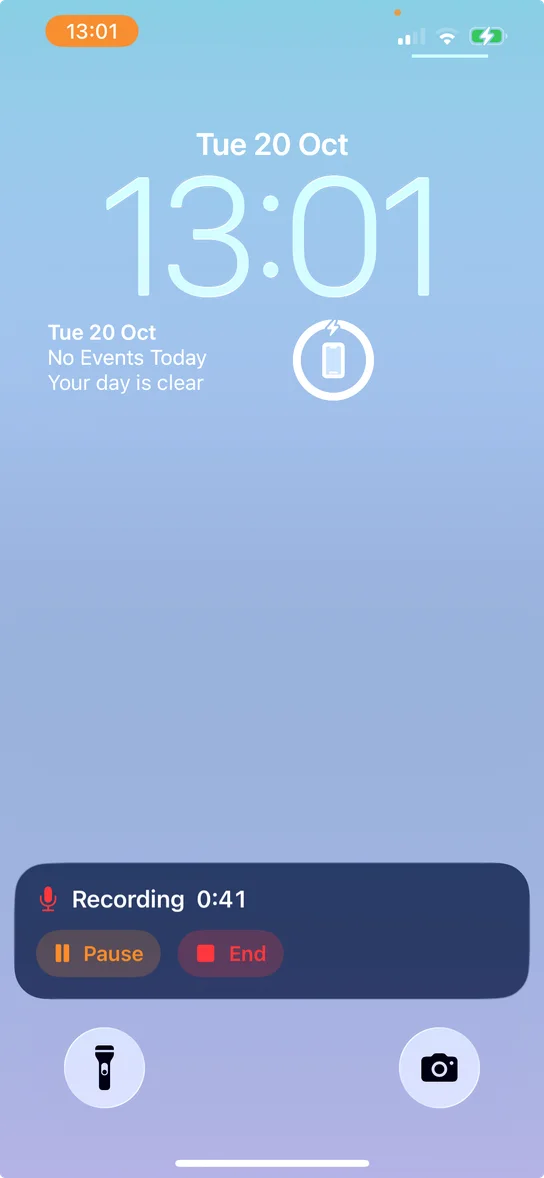
Talk the idea through. It is saved as audio.
15:30
Meet with Julie
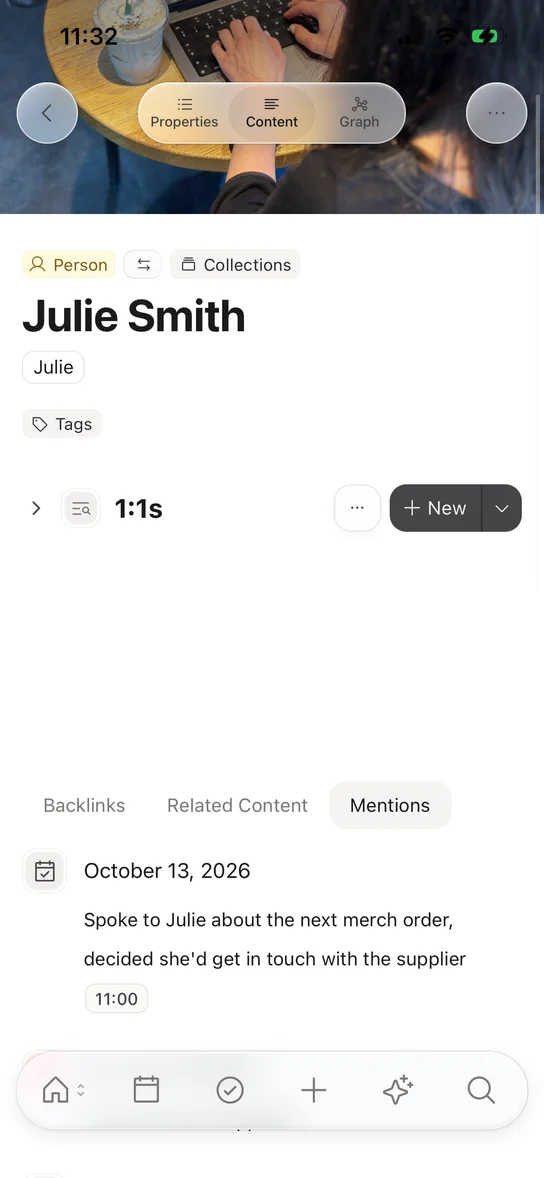
Open Julie’s page. Every past meeting is linked there.
21:30
This morning’s podcast
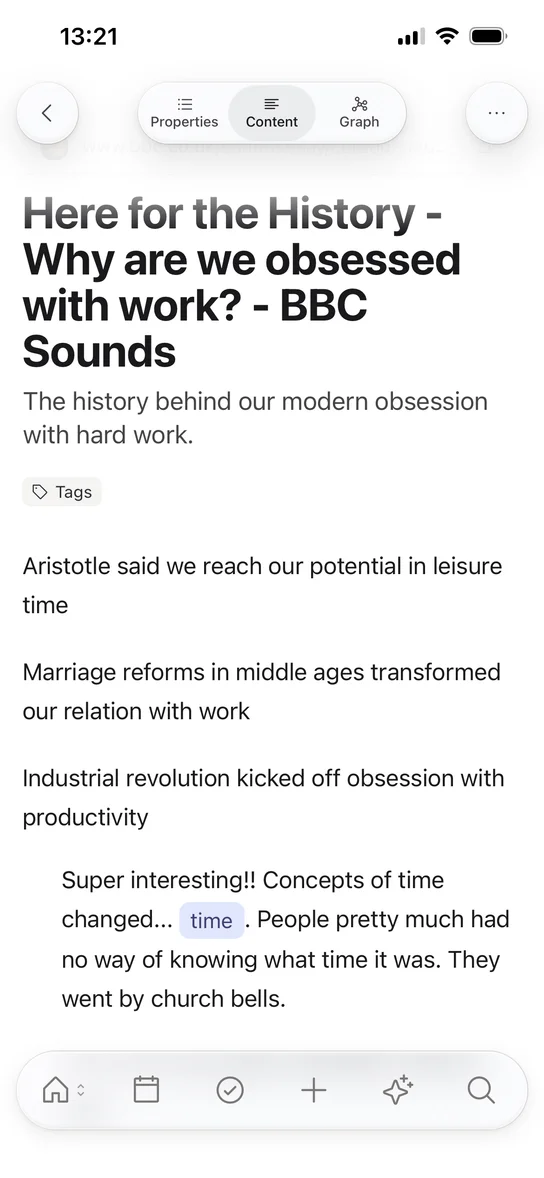
The notes go on the episode, not in a random file.
At your desk tomorrow, all of it is already there. Linked, searchable, and ready.
No need to leave it in another app
Share it, say it, snap it, or type it. It goes into your space, next to everything else.
Share from any app
Links, text, images, and files go from the share sheet into the space and place you pick. Capacities saves in the background, so you stay where you were.
Today’s note, one long-press away
Long-press the calendar tab and you are typing in today’s daily note. Sort it out later, or never. The thought is safe.
Talk instead of type
Record a voice note and it is saved as audio, next to everything else. With AI on, tap Analyze for a transcript and a summary. Recording is in early access for Believers.
Photos become notes
Snap a whiteboard, a page, or a poster. Each photo is an image object you can tag, link, and write on.
podcasts.example.com
The Extended Mind
Save to
Today’s daily note
All your notes. Not a lite version.
The phone app is not a viewer for a few recent notes. Everything you have saved is on your phone, so the answer is a few letters away, even with no signal.
Search everything
Find looks through titles, text, and properties across every object type: people, books, meetings, voice notes.
No signal, no problem
Capacities is offline-first. Your notes are on your phone, on a plane or underground. Changes sync when you are back online.
Every connection comes along
Backlinks and mentions show on each page. Open a person and you see every meeting you had with them.
Edit the way you do at your desk
Link with @, select blocks with a long-press, turn a line into an object with #. The same language, sized for your thumbs.
Sam Rivera
Lunch with Sam
Venue, budget, guest list
Ask Sam about the venue
Sam’s reading list
Today, under your thumb
The calendar has its own tab, right next to Home. It is the quickest way into your day, and the daily note is a place where a thought can land before you decide what it is.
A daily note for everything loose
Journal, meeting notes, a stray thought. Swipe the week strip to look back or plan ahead. Expand it for the month.
Today’s tasks, beside today’s notes
With task management on, see what is scheduled, overdue, and done, and add a task without leaving the calendar.
A timeline, only on your phone
Everything linked to a date and your calendar events, in one scroll. Create a meeting for today in one tap.
Don’t start from a blank chat
Explore is your AI chat on the go. It can read your space, so you ask about what you already know instead of starting from nothing.
Ask about what you saved
“What did Anna and I decide about the launch date?” Mention any object with @ to bring it into the chat. Your notes are the context.
Start from a selection
Select a few blocks and open AI with them as context. Summarize, rephrase, or find the gap.
Voice notes, transcribed
Open a recording and tap Analyze. You get a transcript and a summary next to the audio.
What did Anna and I decide about the launch date?
You moved the launch to 3 October, so Anna’s team has time to finish the onboarding emails.
Ask anything. @ to mention any object.
Quicker ways in
Widgets, Control Center, Siri, and a long-press on the icon. They open Capacities where you need it.
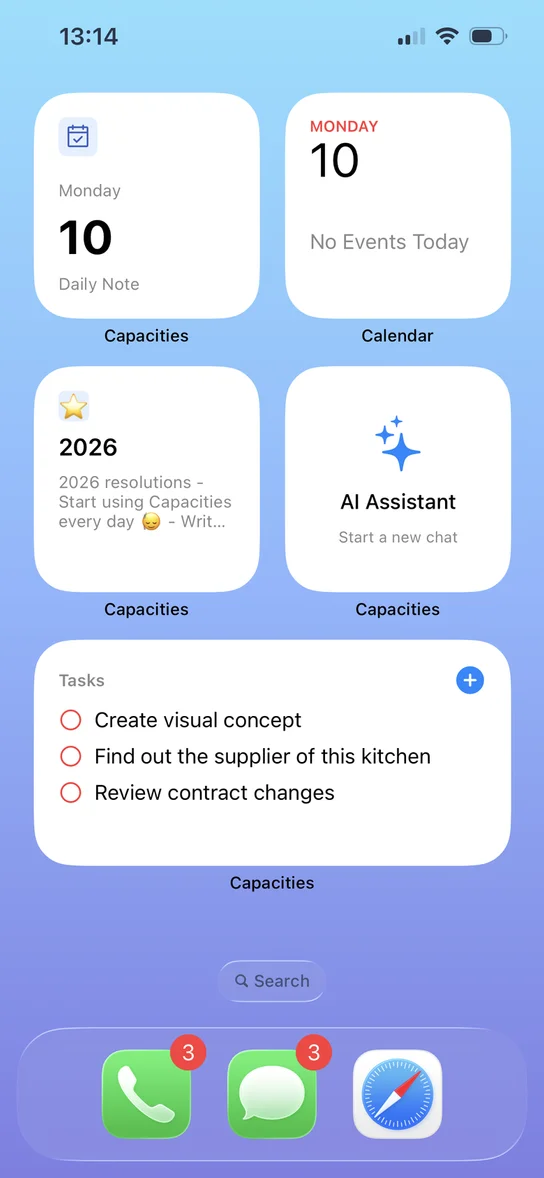
Home Screen widgets
Today’s daily note, open tasks, pinned objects, recents, or a quick capture button. Choose what you see first.
Control Center and Quick Settings
Add Capacities buttons for quick capture, search, a new task, the daily note, and AI. On iPhone and on Android.
Siri and Shortcuts on iPhone
Say “Quick capture in Capacities” or “Ask Capacities”. Or build it into your own Shortcuts.
App icon quick actions
Long-press the Capacities icon to search or capture before the app has even opened.
Companion, not a copy
Not a shrunken desktop. Not a throwaway notes app.
Catch it on your phone. Find it at your desk. Same space, different jobs.
At your desk: shape
Build your system
Design object types, properties, and templates. Lay things out as tables, galleries, and walls.
Do the long work
Write the essay, plan the project, review the week. With room to think.
Tidy up in bulk
Select many objects and change them in one go.
In your pocket: catch and find
Catch
Share, speak, snap, or type. It is in your space.
Find
All your notes, searchable, even offline.
Keep up
Today’s note, today’s tasks, and quick edits wherever you are.
Common questions
Price, offline use, and what stays on the desk.
Catch it on your phone
One idea today. Find it waiting at your desk tomorrow.