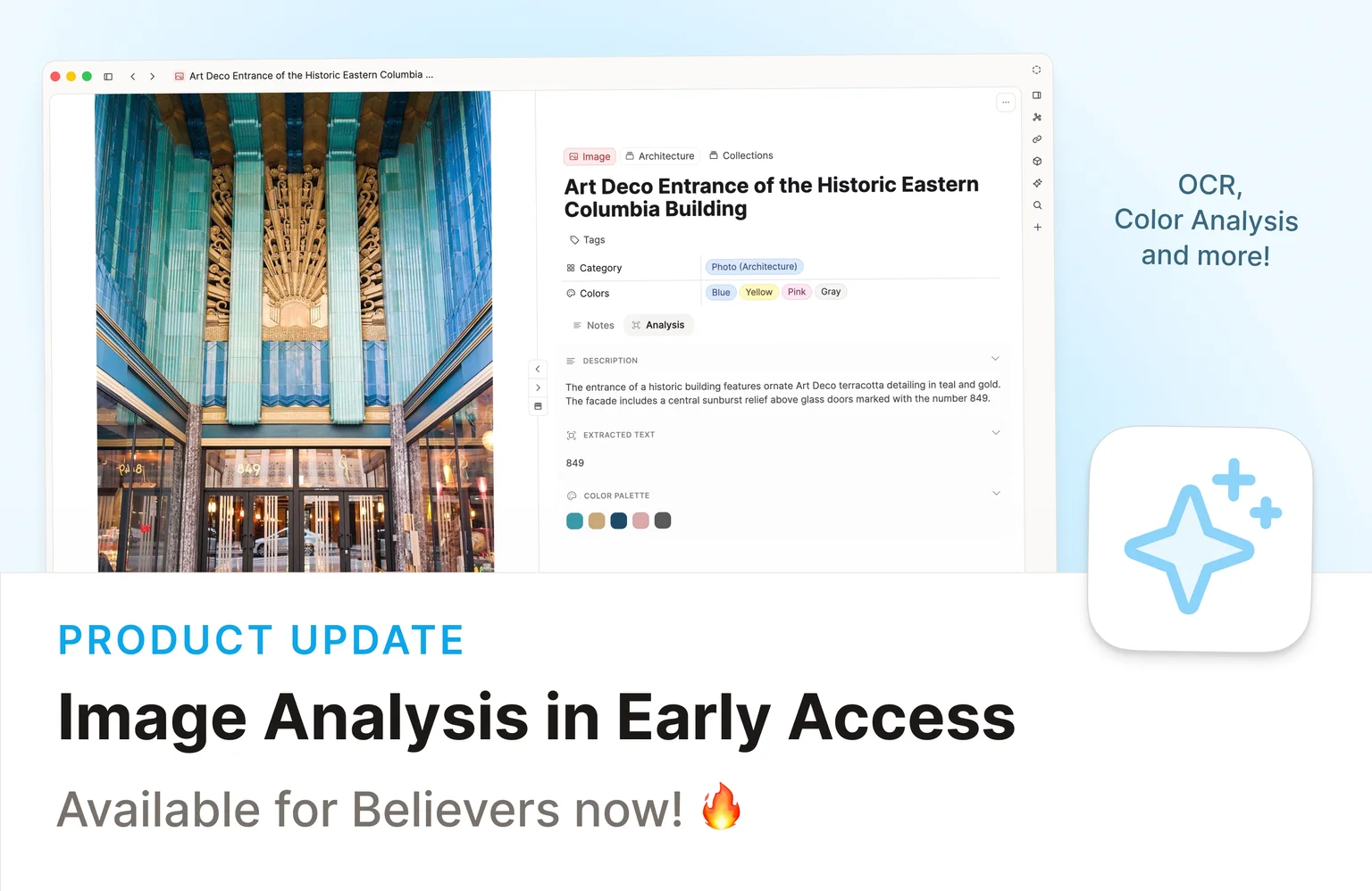
Remember the new image properties we added in the last release? Now the AI can fill them in for you. ✨
Media analysis is available in Beta for all Capacities Believers with AI enabled. It turns your screenshots, documents, and photos into information you can easily search, filter, and work with. 🖼️
Check out the video release notes!
Analyze any image with one click
Open any image in Capacities and click the Analyze button. The AI extracts a better title, a short description, detected text, a color palette, and a category.
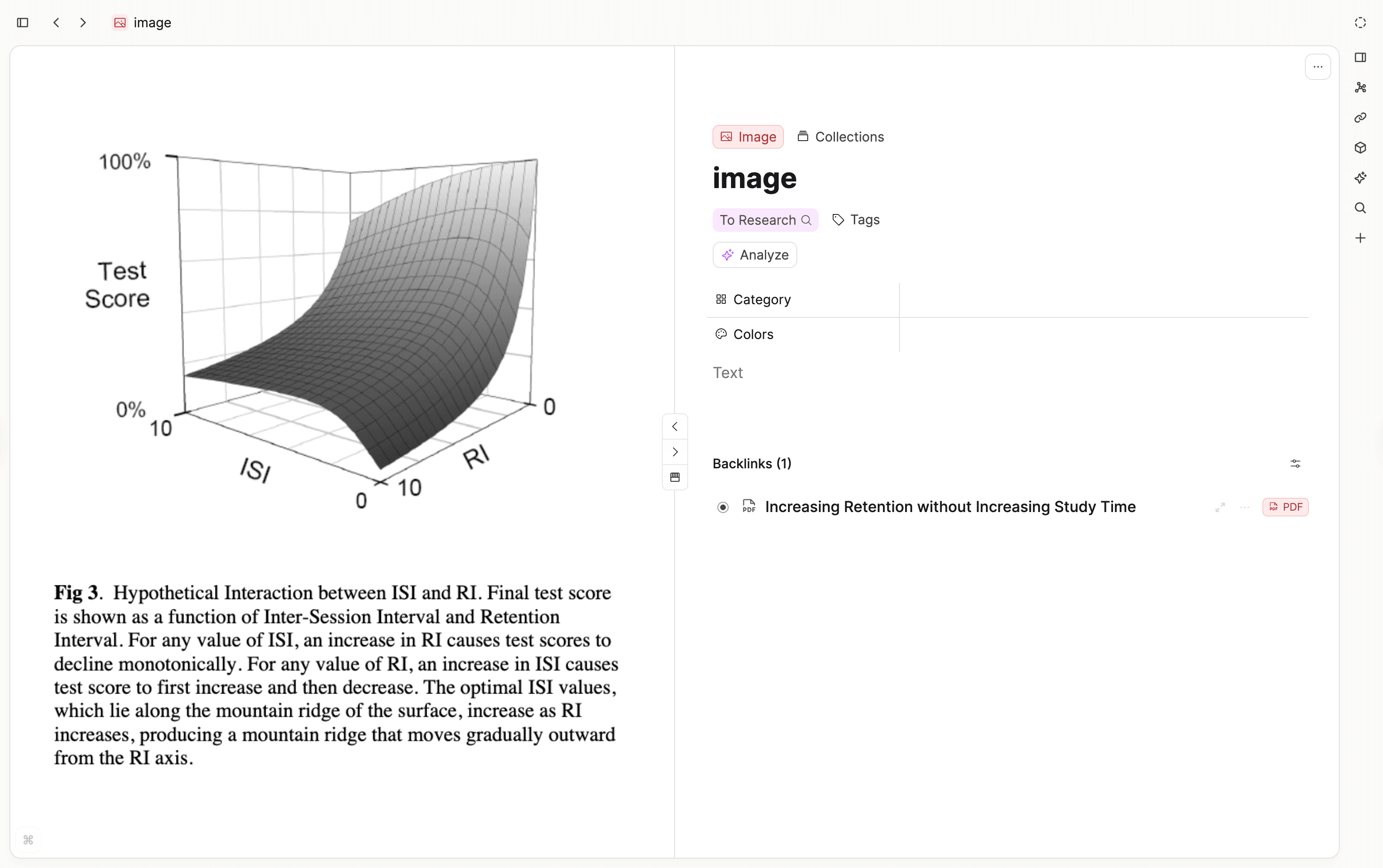
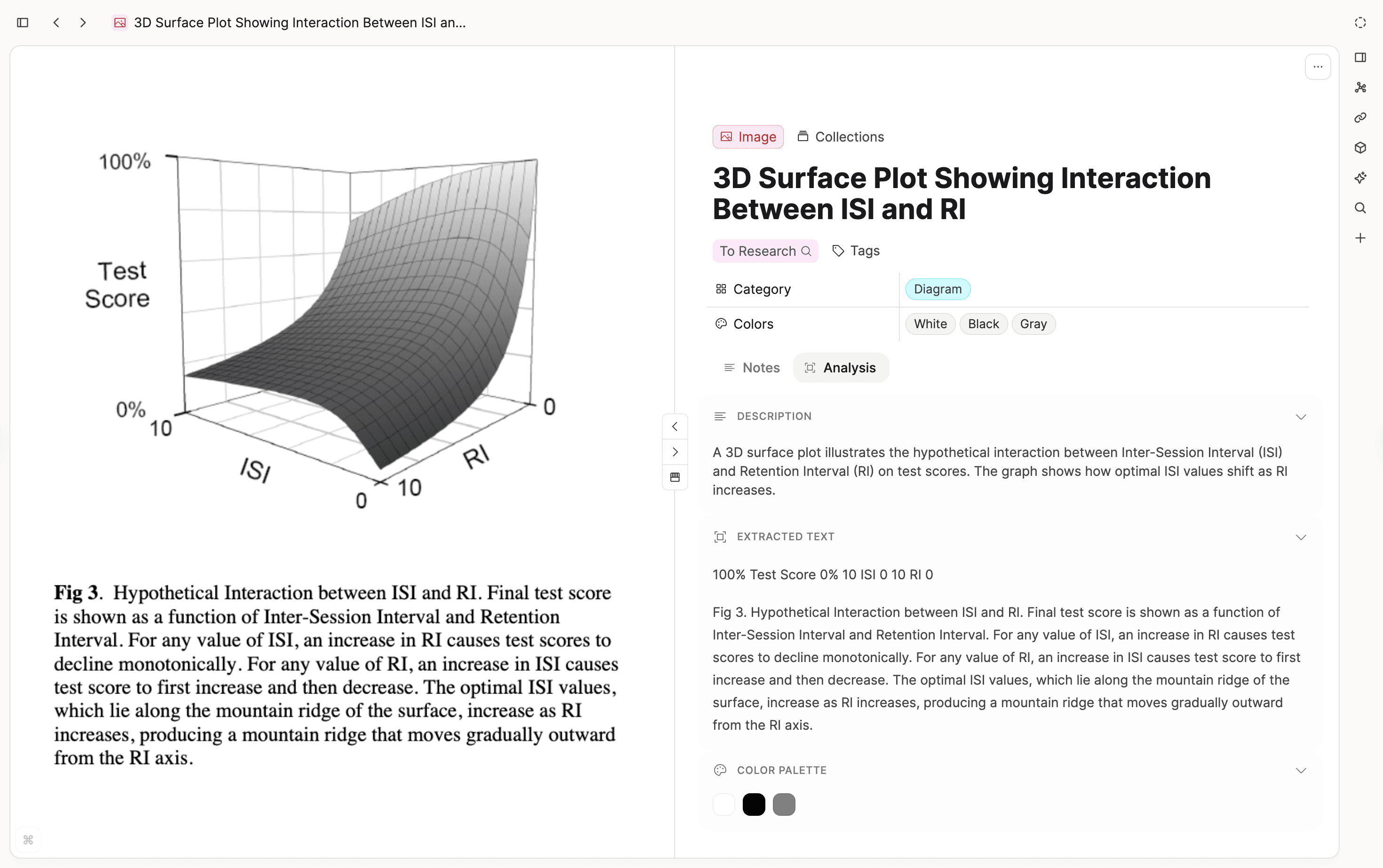
One of the most useful parts is text extraction (OCR). It works on screenshots, photos of whiteboards, and even handwritten notes. The AI reads the text and gives it back to you as copyable, searchable content.
All extracted text is indexed by full-text search, so you can find images by the words that appear inside them.
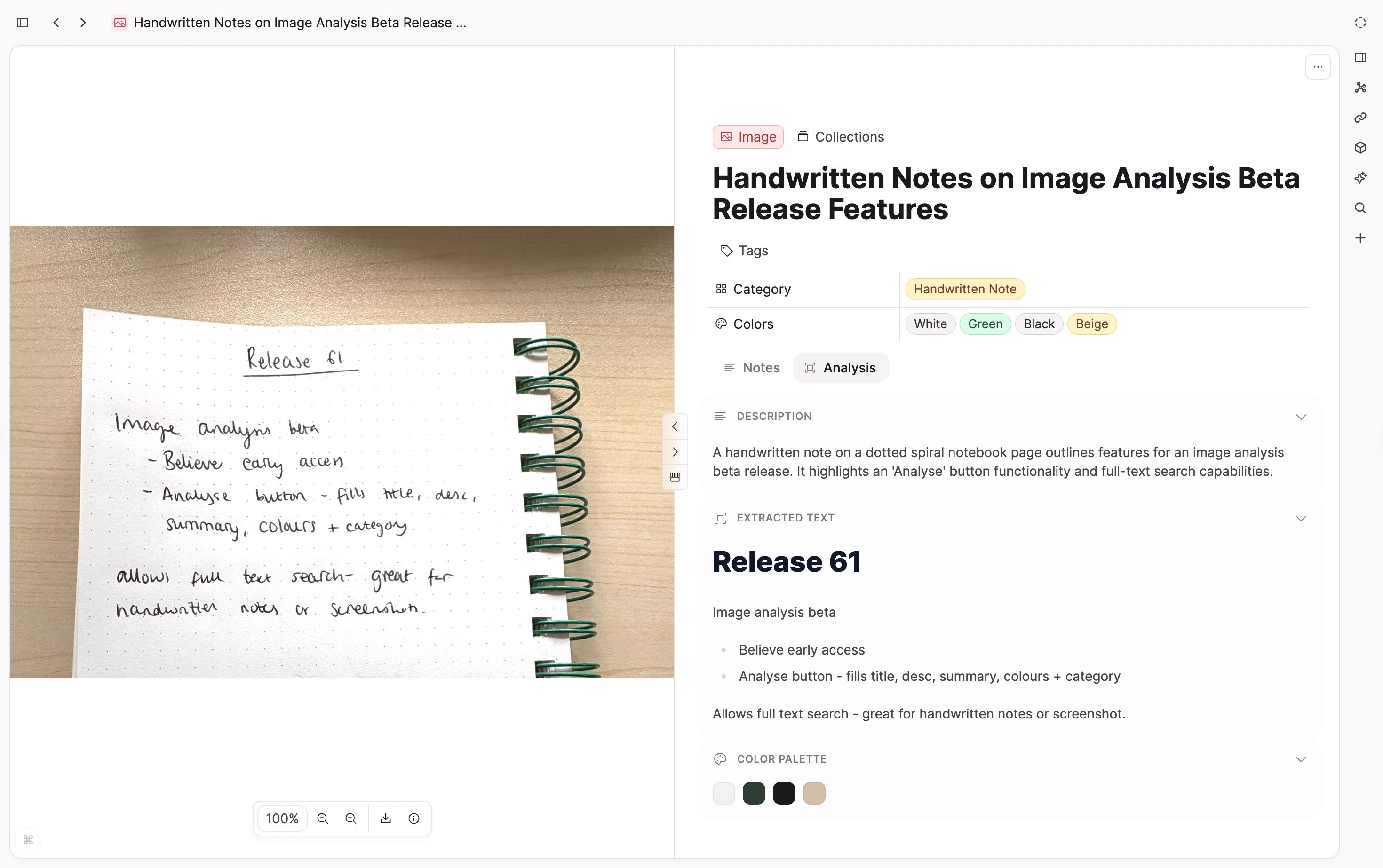
The extracted text, description, and color palette appear in the analysis tab, so the analysis remains available when you need without getting in your way.
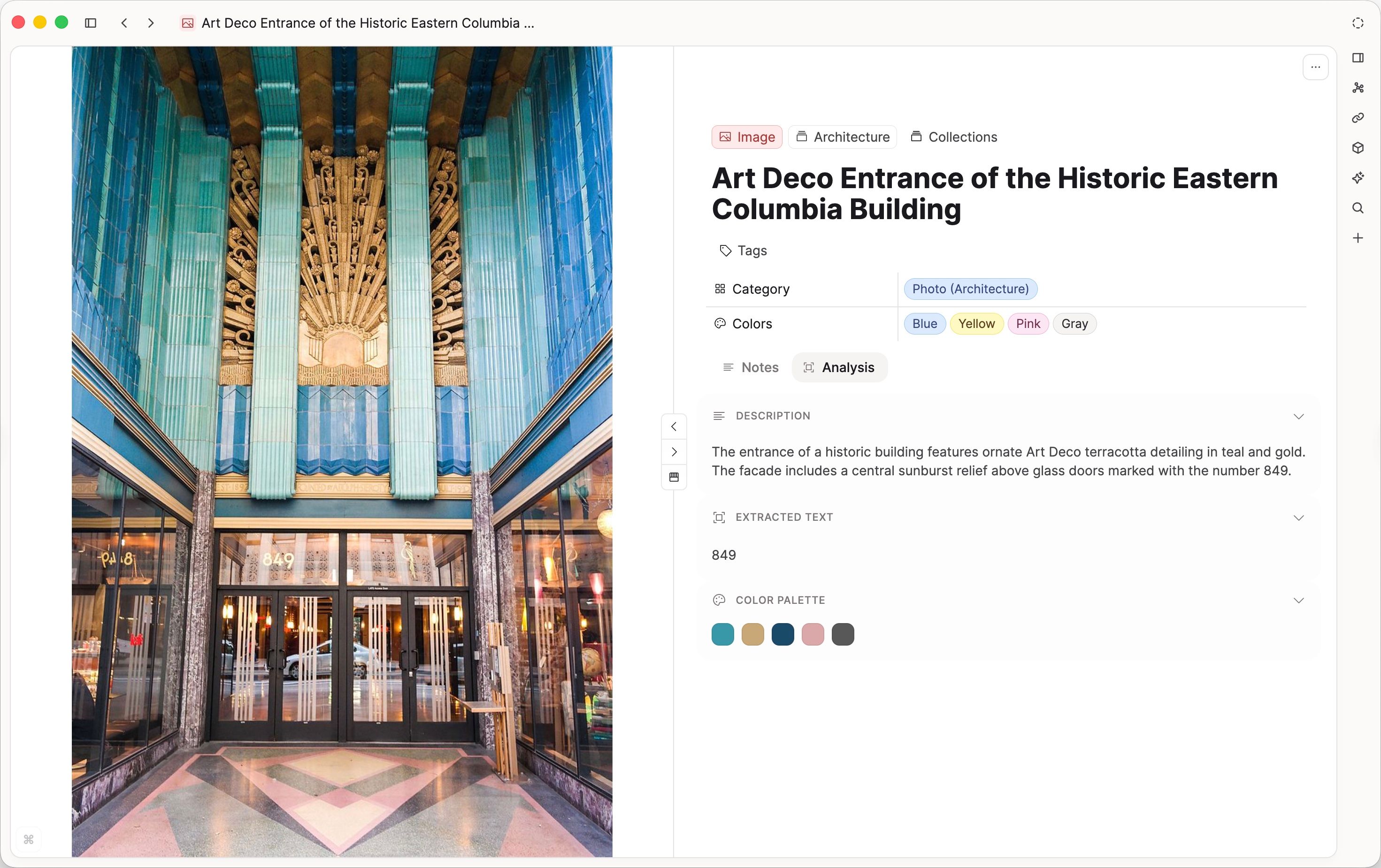
The detected color palette is shown as visual swatches, and you can click any color to copy its hex value.
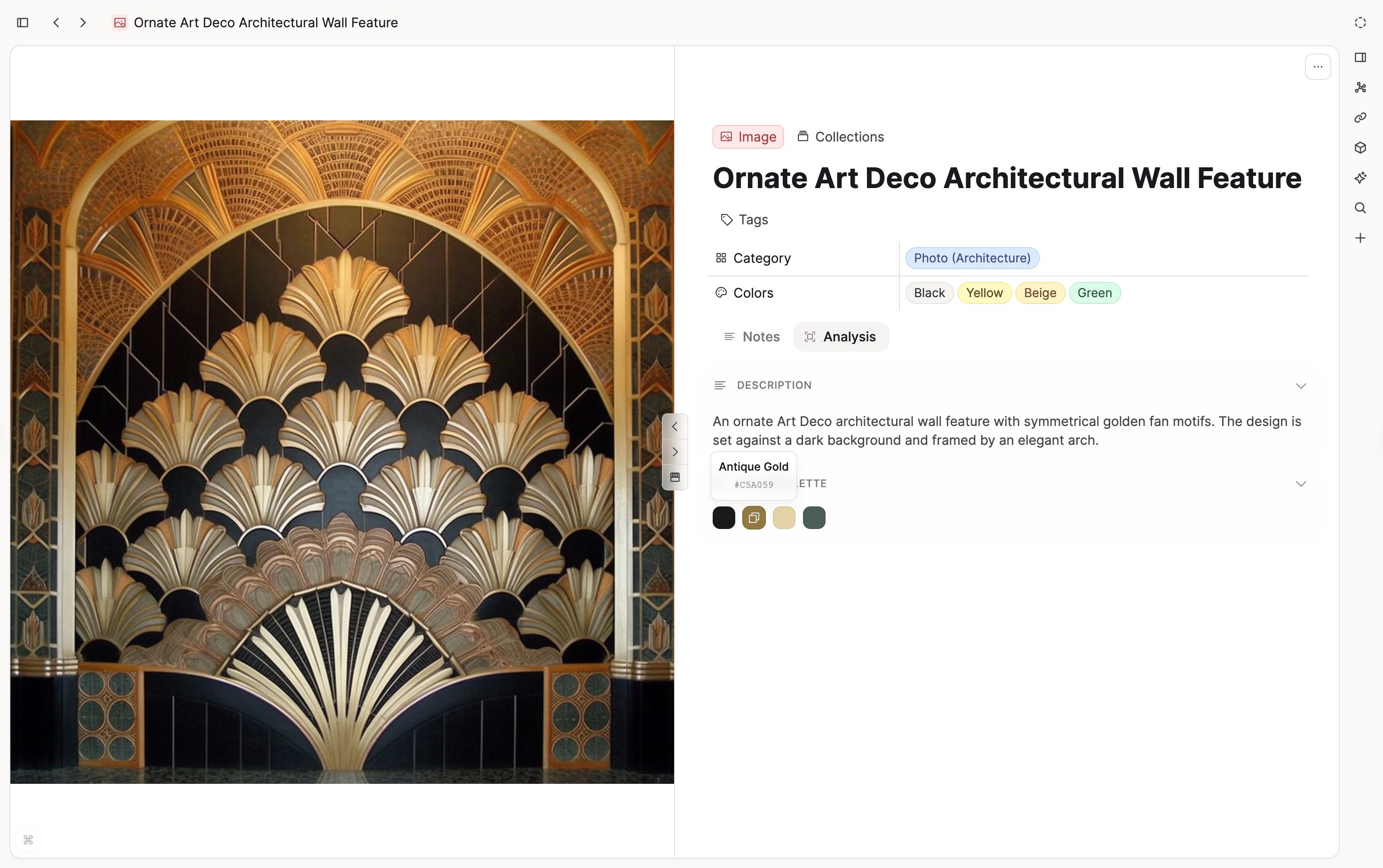
All of this data also flows into your image's properties automatically. The Category and Colors properties are populated by the AI, so you can filter and sort your images by what's actually in them.
You can then build queries like "all handwritten notes" or "all blue images" and embed them into moodboards or project pages.
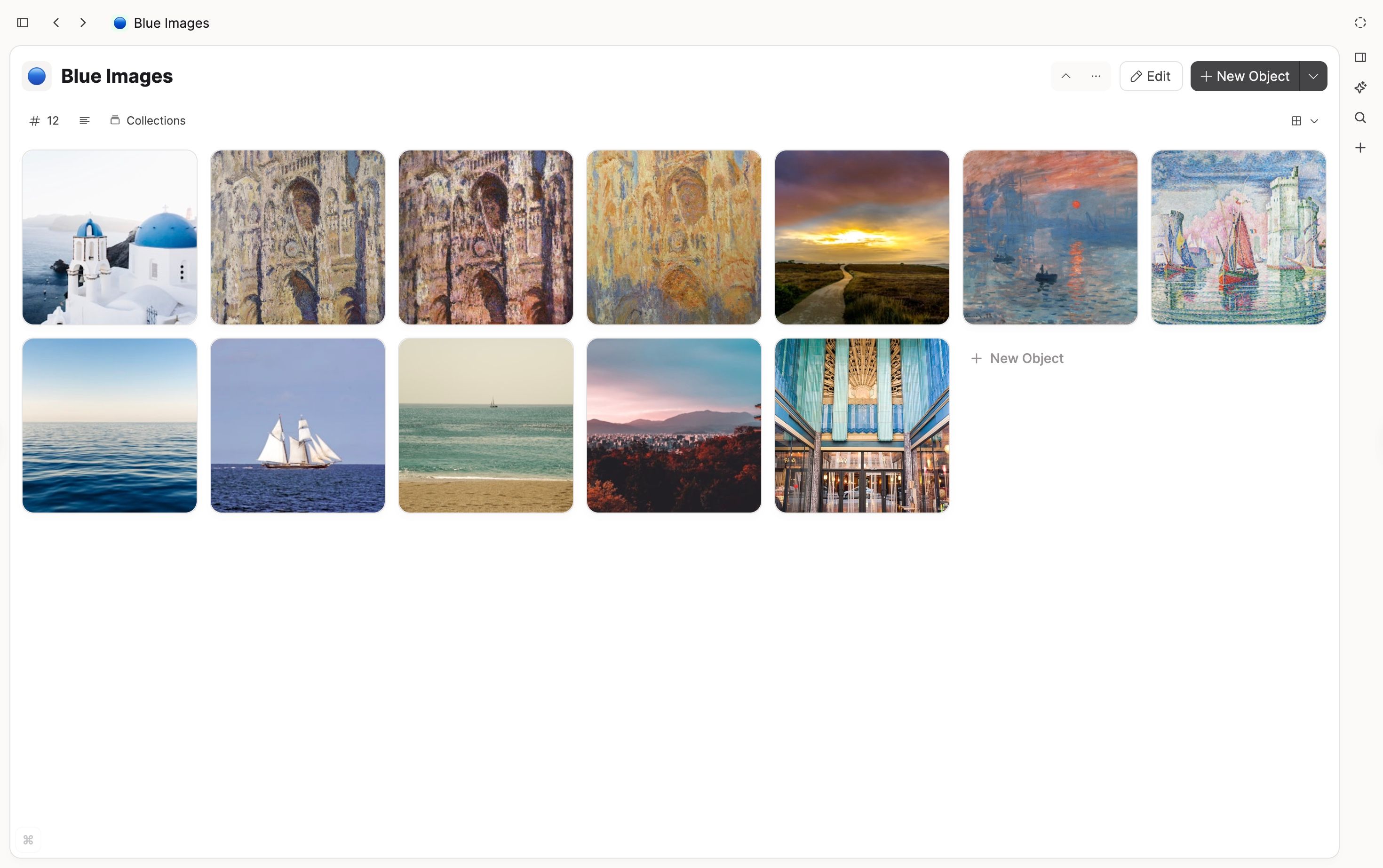
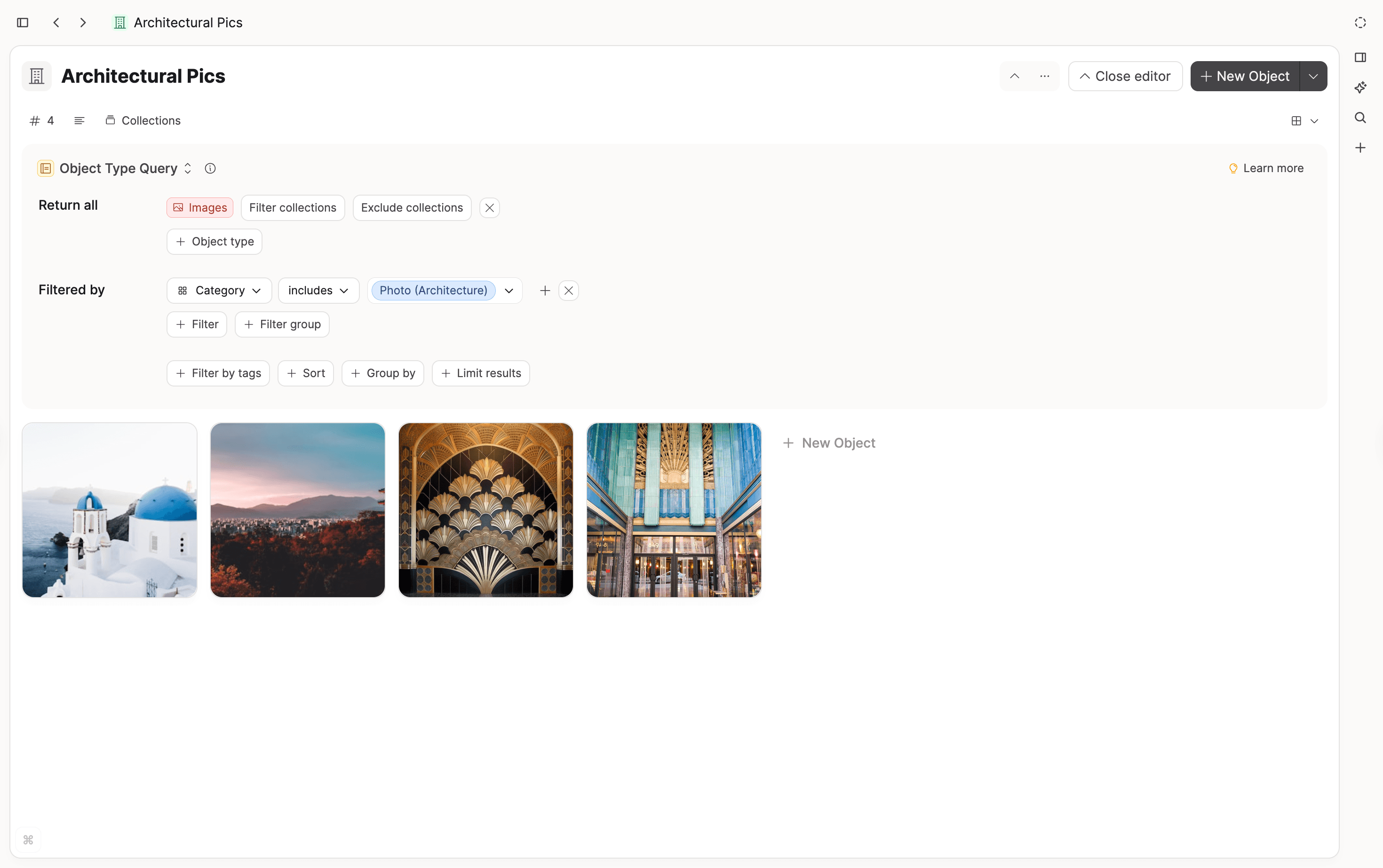
The AI assistant can also use this extracted metadata as context when you chat about your media, without needing to re-read the original image file. It might find connections you did not realize you had. 💫
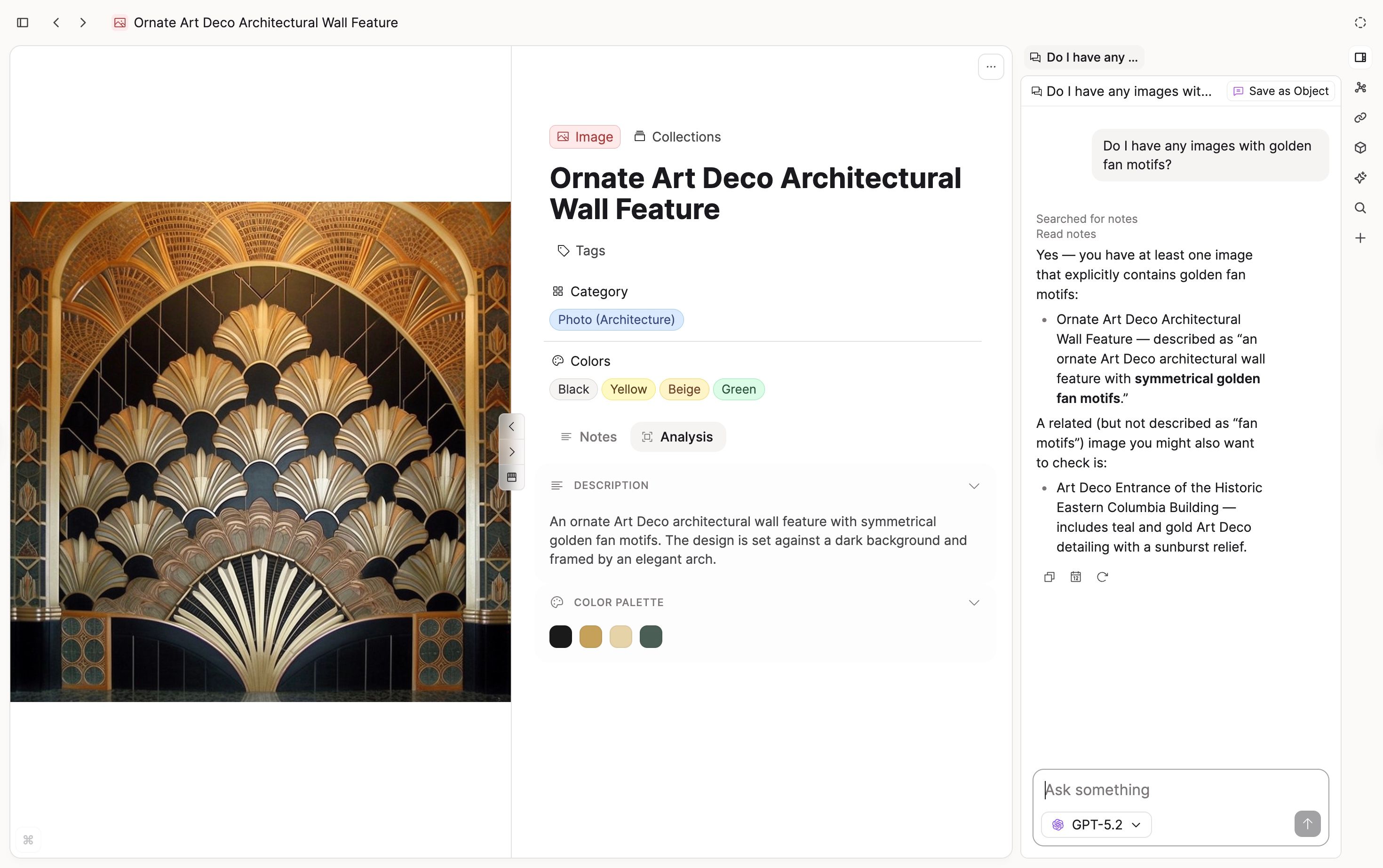
Image analysis roadmap 🛣️
Media analysis is just getting started.
Next, we’re planning optional automatic analysis for new images (with a setting to turn it off), a rollout to all Pro users, and support for more media types beyond images. Stay tuned!
Aliases for Tags
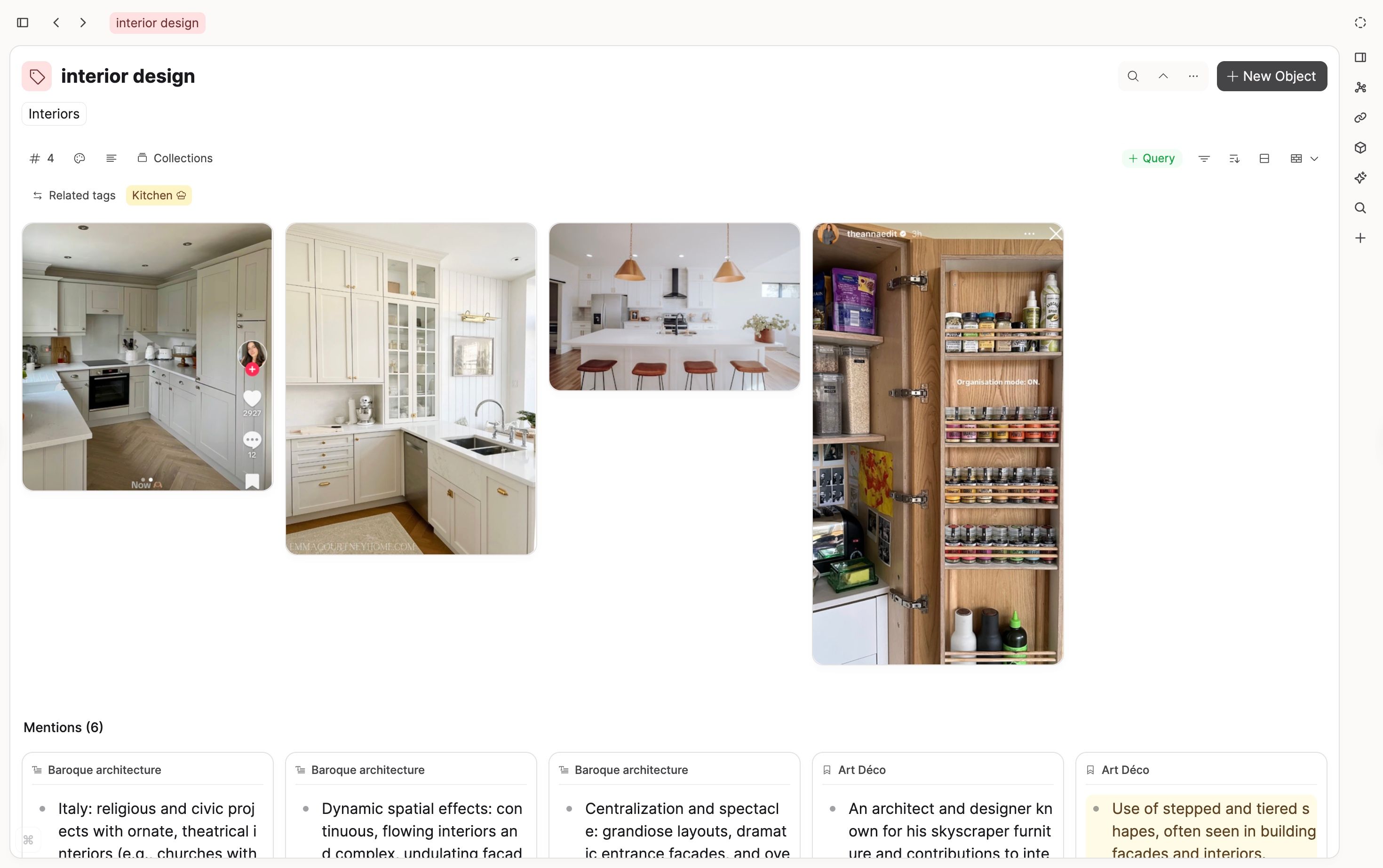
You can now add aliases to your tags.
This makes it easier to find tags when you use different terms for the same concept, or if you are multi-lingual and you want to refer to the same object in different languages.
Object info sidebar deprecated
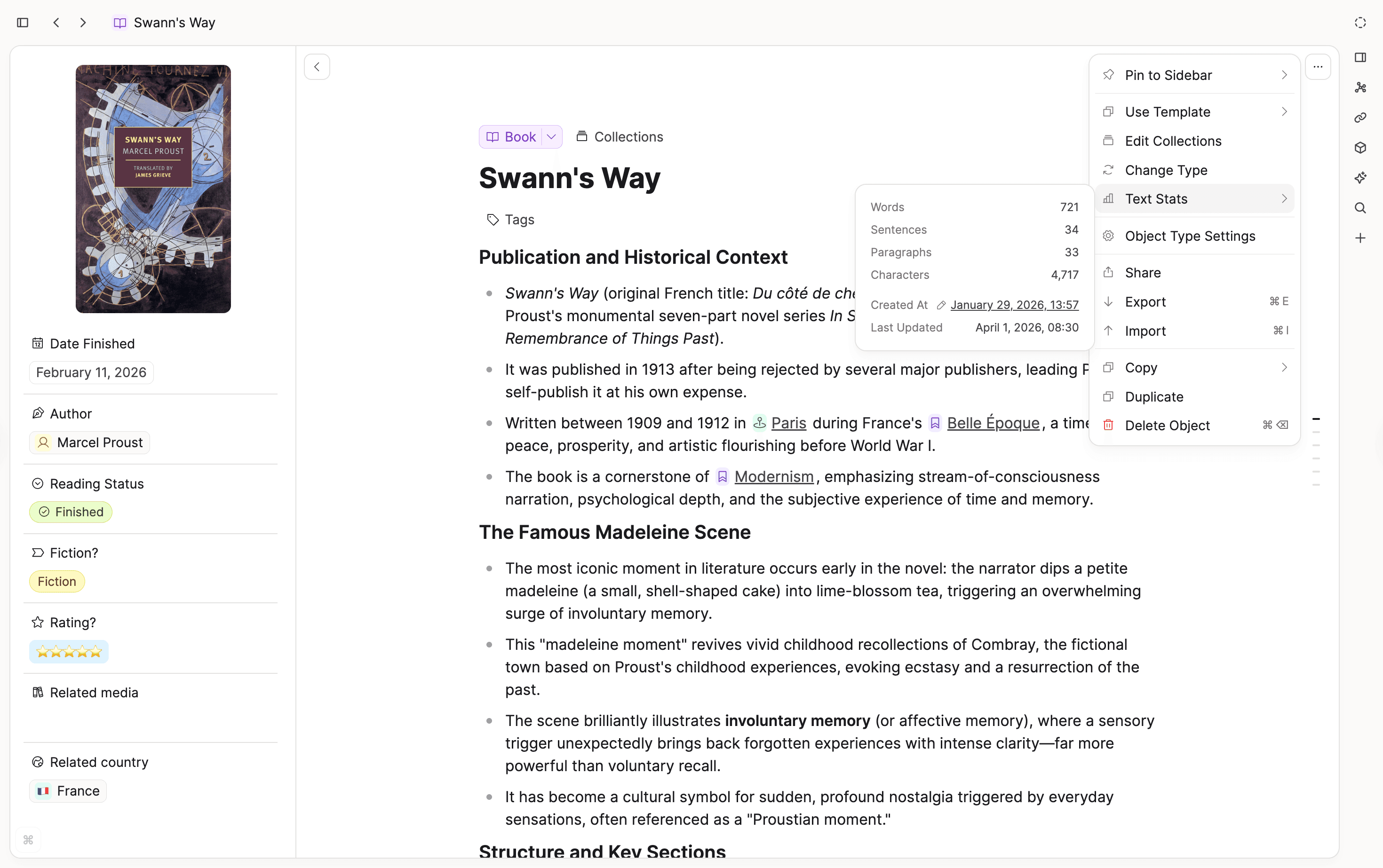
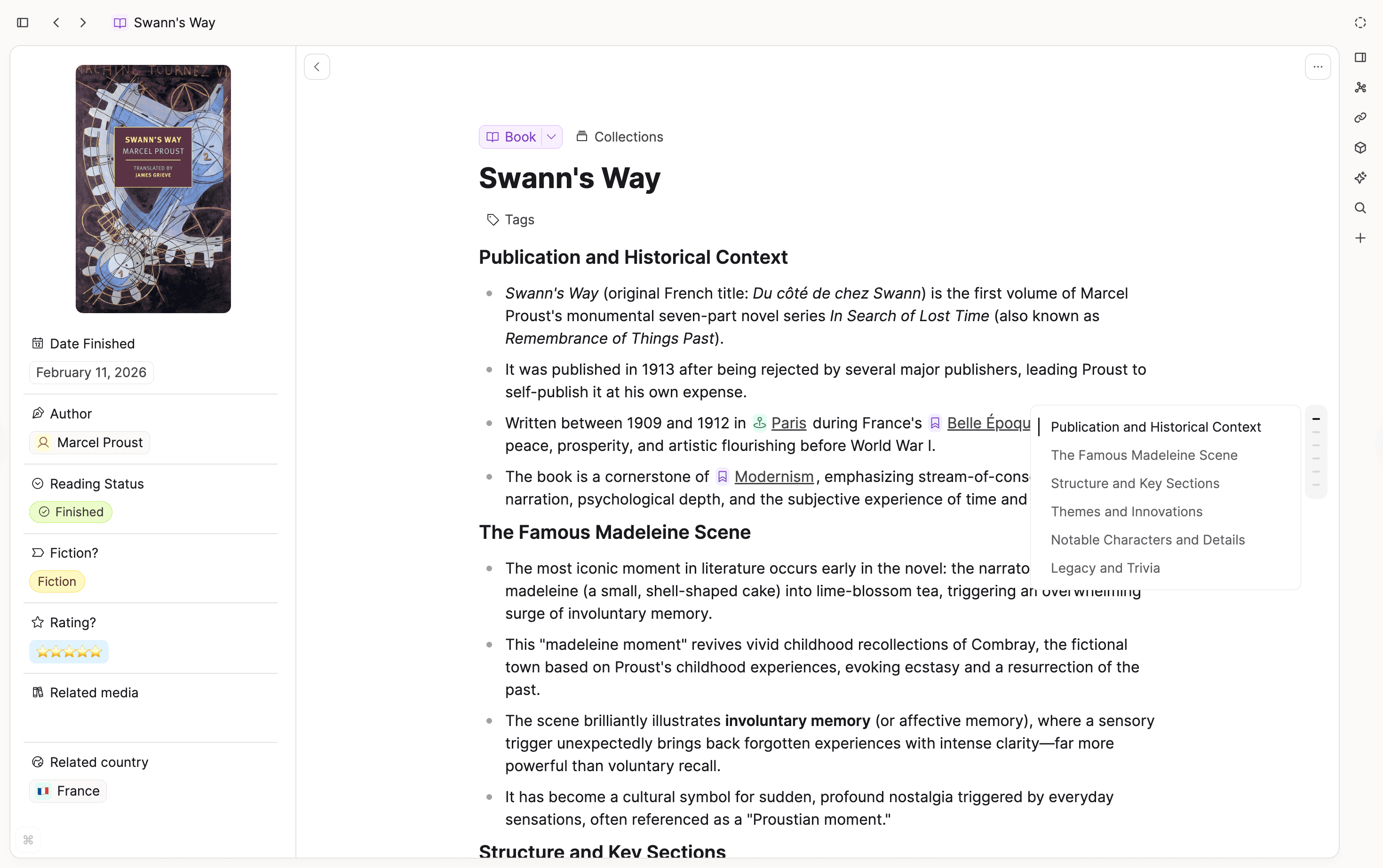
The object info sidebar has been deprecated. Its functionality has been redistributed:
- Text stats and created-at info have moved into the object menu:
- Document outline is now a single-purpose floating element:
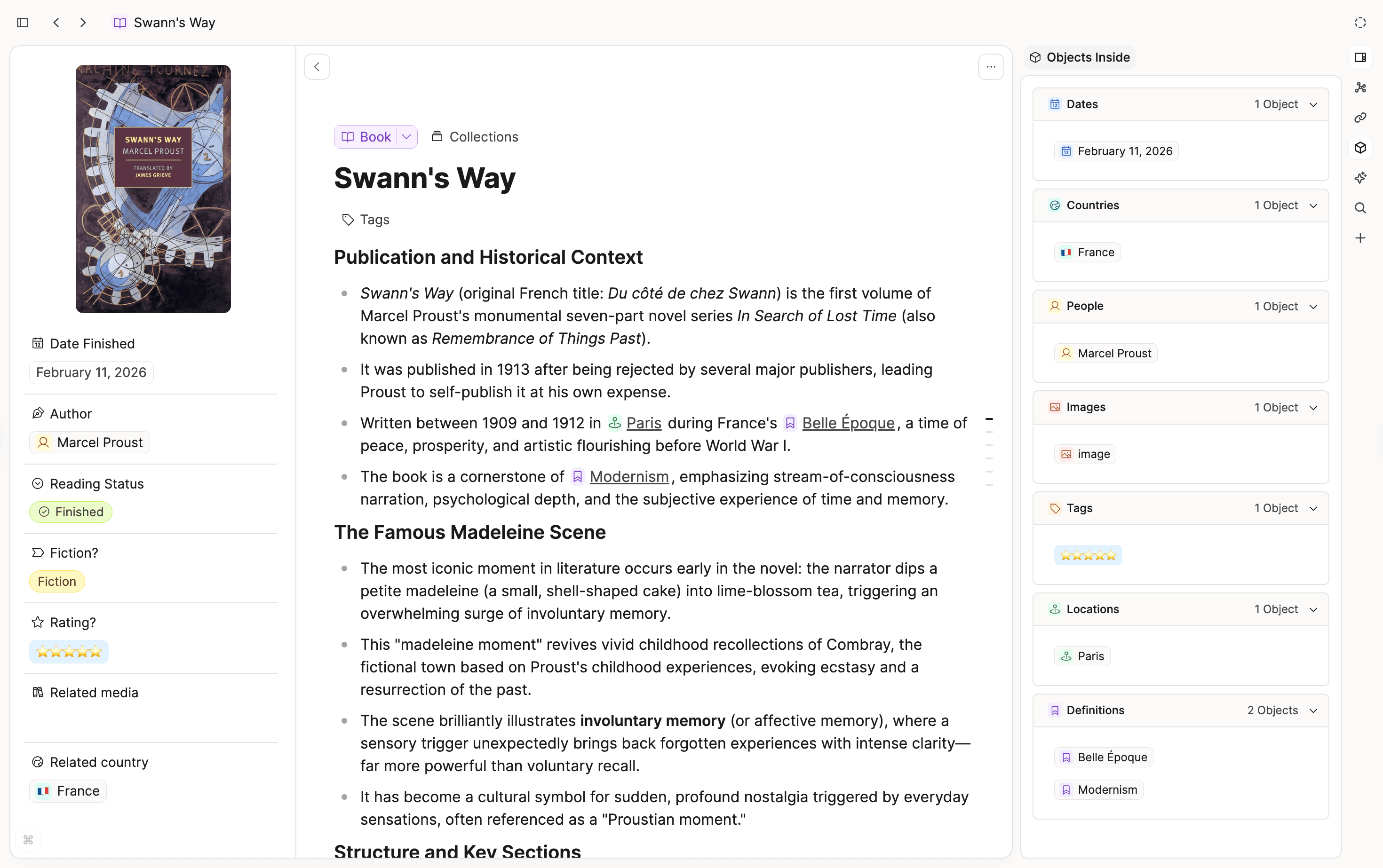
- Objects inside can now be found in a dedicated section in the new sidepanel:
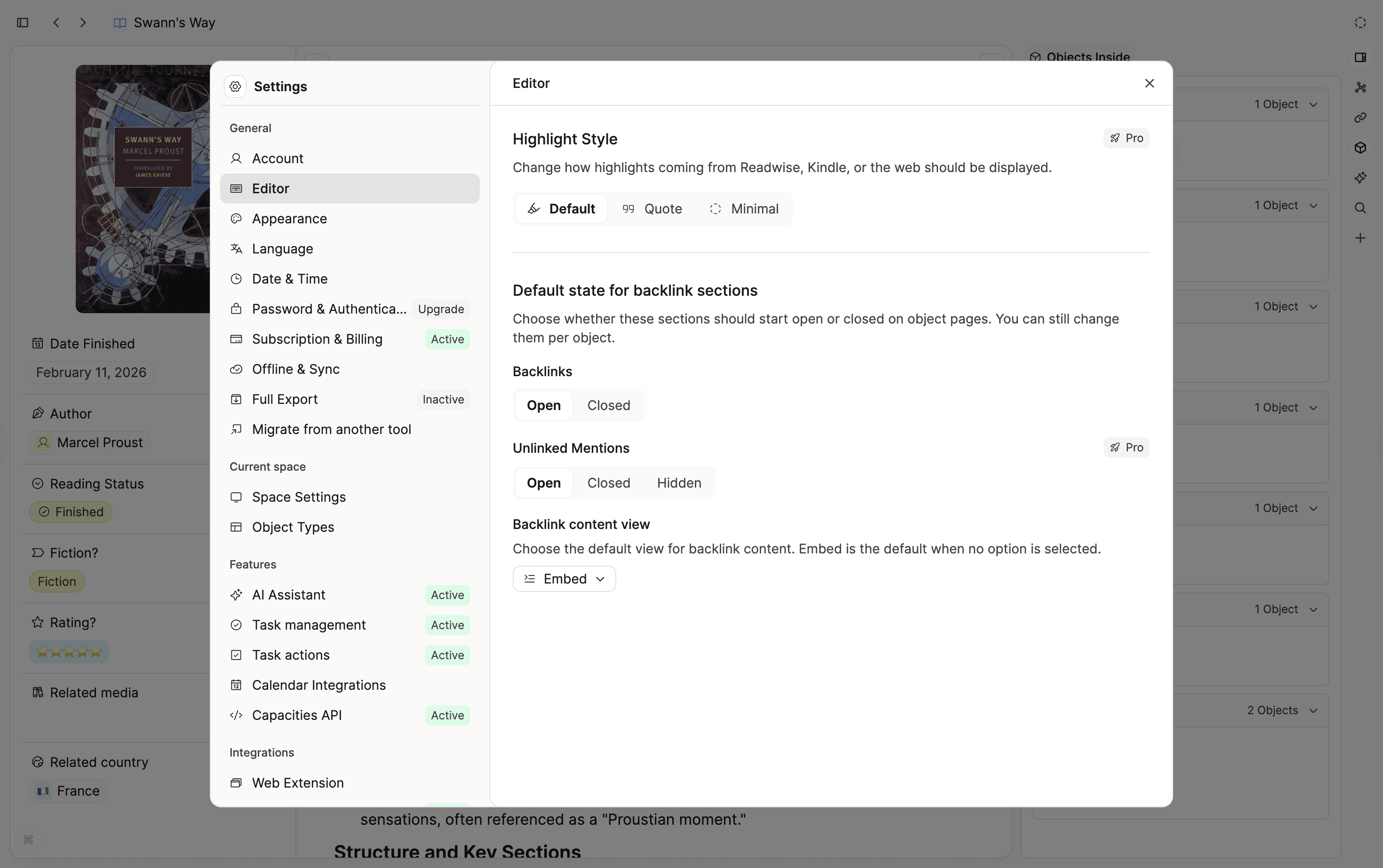
Default state for backlink sections
You can now choose whether backlink sections start open or closed on object pages. This applies to Backlinks and Unlinked Mentions (Pro) on the web or desktop apps. You can still override the default per object.
There's also a new Backlink content view setting that lets you choose the default view for backlink content. Embed is the default when no option is selected.
Important: Storing Issues in v1.60.1
There is a critical bug in v1.60.1 that in rare cases prevents some objects from being stored to your device. Please update to v1.60.20 on all devices as soon as the version is available.
Community spotlight: Capacities Quick Note Pro for Android
Shout-out to developer Daniel Peck who built Capacities Quick Note Pro, a handy Android app that lets you jot something down on your phone without opening the full app.
Key features:
- Instant capture: type a note and append it directly to your daily note.
- Share from any app: send text from other apps straight to Capacities.
- Homescreen widget: capture without even opening the app.
- Multiple spaces: switch between your Capacities spaces.
The app connects through the official Capacities API, so you'll need a Capacities Pro account to use it. It's available on the Google Play Store for $1.99.
✨ Improvements
- Better triggers for command palette and linking search.
- Better ranking behavior in command palette and linking search.
- Hide Backlinks in main view if they are open in the side panel.
- Unlinked mentions of an object are not limited to 100 elements anymore.
- Better display of the header if you have a single tab only.
🐛 Fixes
- Fixed an issue where starting an AI chat in the AI panel then opening the full chat window would clear the prompt.
- Corrected a misspelled word in the prompt asking users to verify their email. Ticket.
- Fixed alias linking so it no longer disables page embedding. Ticket.
- Fixed how tags are shown in embedded task views.
- Fixed the "Learn More" link in the Sharing section which was directing users to an inaccessible page. Ticket.
- Fixed a bug where text disappears if a bullet is indented right below an image. Ticket.
- Fixed object type colors in create and link menu not reflecting settings.
- Fixed sending a task to Things not adding a link back to the Capacities content. Ticket.